


Self-Management
18 posts
Sort by Latest

Internet Access Is Not Enough: Why Your Phone Number Becomes Nomad Infrastructure
For most people planning a long stint of remote work abroad, the first worry is bandwidth. Which eSIM plan, whether to grab a local SIM at the airport, how reliable the apartment Wi-Fi will be, whether a pocket router is worth the extra weight. These questions are not hard to solve anymore. The market for connectivity has matured, prices keep sliding, and coverage is broadly acceptable in most cities that attract remote workers. Yet the people who have actually spent three, six, or twelve months away from their home country tend to report that the thing which tripped them up was not the internet at all. It was the phone number. A phone number is no longer just a way to make calls. Over the past decade it has quietly become an identity credential. Banks, tax authorities, brokerages, cloud services, social platforms, crypto exchanges, government portals, even the login flow for an app someone has not opened in a year, all tend to fall back on the same sentence: please enter the code we just sent to your phone. That code goes only to the number originally on file. When that number becomes unreachable because of travel, a swapped SIM, a lapsed prepaid plan, or a lost handset, the person on the road suddenly cannot prove who they are in the digital world. Data Connectivity and Identity Connectivity Are Different Layers eSIM providers solve data connectivity. They give a device a way to reach the internet. This layer is in good shape now. Activation happens at the gate, pricing is transparent, and switching between countries takes minutes. But most eSIM plans do not include a stable local number capable of receiving SMS from a home country bank or a government portal. Even when a local number is bundled, it is usually short lived, region locked, and unreliable for the kinds of verification messages that matter. The gap becomes obvious in a way that flat monthly data plans hide. A traveler can hold a smooth video call from a Lisbon co-working space and, at the exact same moment, fail to receive a one time passcode from a bank back home. Bandwidth is present. Identity is not. In the first two or three weeks abroad the problem stays invisible, because most accounts are still within their session windows and most platforms still trust the device. The seam only tears open at the first cross border wire, the first re-login to a brokerage app, the first attempt to file a tax form, the first request to raise a credit limit for foreign purchases. The Home Number Is the Real Anchor A common and painful mistake is to cancel the home number on departure and rely entirely on local SIMs abroad. In most countries the home mobile number sits inside the financial and administrative stack as a nearly irreplaceable anchor. Online banking, national health apps, tax filing, brokerage logins, mobile payment bindings, they default to the original number as the fallback verification channel. Removing that number does not simply mean buying a new plan later. Restoring it often requires physical presence in the home country, an in person visit to a bank branch, and a full re-verification process. A more resilient approach is to treat the home number as infrastructure rather than as a phone service. Its job is not to place calls. Its job is to receive verification codes. That means keeping it in an SMS reachable state even while the owner is on the other side of the world. Options include a minimum tier prepaid plan with regular top ups, leaving the SIM in a spare handset at a relative's home, arranging for a family member to forward incoming messages, or using an operator provided SMS to email service. Every option has a cost. The point is that the choice needs to be made deliberately in advance, not improvised the night before a flight. Local Numbers Have a Real But Different Role Anchoring the home number does not mean local numbers are optional. Staying in a city for more than two or three weeks quickly generates a need for one. Ride hailing apps want to verify. Delivery platforms want to verify. Landlords communicate through the country's dominant messaging app. Local bank accounts require a local contact number. Even topping up the SIM itself often needs a working local number. The role of a local number is completely different from the role of a home number. The home number is an identity anchor. The local number is a life interface. The first must not lapse. The second can be discarded when the traveler leaves the country. Trouble begins when nomads mix them, binding important accounts to a local SIM that expires two months later, effectively locking themselves out of their own financial life. A clean rule of thumb helps. Anything tied to money, legal identity, taxation, or long term contracts, bind only to the home number. Anything tied to daily life in the current city, bind to the local number. When this line stays clear, moving cities becomes far less destructive. Multi Factor Authentication Raises the Stakes Over the last decade MFA moved from a security team recommendation to a default setting on most platforms. This is good for security, but it also concentrates enormous weight on the phone number. When an account uses SMS verification, an authenticator app, and email verification together, any broken link in the chain can lock the owner out of their own data. Nomads face a specific risk. These verification channels can fail at the same time. A stolen phone takes both the SIM and the authenticator app with it. A dead SIM cuts off SMS. If the recovery email account itself is protected by the same phone number, the whole recovery path collapses in a single event. The practical response is layered. Authenticator apps should be backed up, and the backup should live on a device that travels separately from the primary handset. Recovery email addresses should be long lived and stable, not a soon to be closed employer domain or a self hosted address that could go offline. Every critical account should have offline recovery codes generated in advance, printed on paper, and stored inside the same folder that holds the passport. These steps look tedious. They are trivial compared to the cost of being locked out in a foreign country with no local support number to call. SIM Swap Moments Are the Most Fragile Most travelers underestimate how vulnerable the moment of swapping a SIM actually is. When a new physical SIM slides in, or a new eSIM activates, there is a short window of minutes to hours where the old number is already deactivated and the new one is still registering. During this gap any platform that fires a verification message will send it into a void. A worse scenario appears when a home number is recycled by the carrier after prolonged inactivity. That number can be reissued to a new subscriber who then, entirely innocently, begins receiving bank codes, social notifications, and login attempts for someone else's accounts. The security community has a name for this attack surface, SIM recycling, and it is not hypothetical. The mitigation is singular. Before leaving, before any SIM change, before any extended absence from a familiar environment, convert the second factor of critical accounts from SMS to an authenticator app or a hardware security key. SMS should become the backup channel, never the primary one. Hardware Security Keys Are the Overlooked Layer A hardware security key is a small device that plugs into USB or communicates over NFC, acting as a second factor for login. Prices range from roughly twenty to eighty US dollars, and a single purchase lasts years. For someone living abroad long term, the value dwarfs the cost. The advantage is complete independence from the phone and the number. Even if the SIM dies, the phone gets stolen, and the authenticator app was never backed up, the key still works. The catch is that one is not enough. Two is the minimum, one carried on the person and one stored somewhere geographically separated, whether with a trusted family member or in a bank safe deposit box. Relying on a single physical object for identity access defeats the point. Most major platforms now support the FIDO2 or WebAuthn standards, including Google, Apple, Microsoft, mainstream password managers, and a growing number of banks and brokerages. A single weekend spent enrolling security keys on the most important accounts builds a defensive layer entirely independent of the mobile network. The Case for a Backup Device A second phone sounds indulgent, but for anyone living out of a suitcase it is one of the cheapest insurance policies available. It does not need to be new or premium. A two or three year old midrange handset is enough. Its jobs are narrow. Keep the home SIM alive and receiving codes. Hold a backup of the authenticator app. Step in when the primary phone breaks or gets stolen. This backup device does not need to be powered on every day, but it should be charged periodically, connected to the internet occasionally for updates, and checked to confirm the SIM is still active. It belongs in a different bag from the primary phone, ideally in the suitcase rather than the daypack, so that a single theft does not remove both devices at once. Some travelers try to use a tablet in this role. That can work partially, but tablets often cannot receive SMS on cellular networks unless a SIM is installed. As an authenticator host, a tablet is fine. As a phone number backup, it needs additional planning. Number Portability and Retention Strategy Rules on number portability differ by country. Some regulators require carriers to release a number to any competing provider on request, letting the customer move to a minimal prepaid plan while keeping the digits. Others enforce aggressive reclamation policies, releasing numbers that go six months without use. The practical move for long term travelers is to shift the home number from an expensive monthly contract to the cheapest available retention plan, preserving the number without paying for services that will not be used. Beyond that, a more thoughtful plan asks a longer question. If the traveler eventually decides not to return to the home country, who inherits responsibility for that number? Who is authorized to forward messages, handle carrier disputes, or visit a branch office if needed? Discussing this with family before departure is worth more than most people expect. Put Number Management on the Pre Departure Checklist The typical pre departure list covers luggage, visas, tickets, accommodation, and insurance. Number management rarely appears, yet it deserves priority over most items on that list. A useful standard sequence looks like this. Audit which phone number is currently bound to each important account. List every second factor method already active, and confirm at least one backup channel exists for each. Back up the authenticator app to the cloud or export it to a spare device. Generate offline recovery codes for every critical account, print them, and store them physically. Decide how the home number will remain reachable during the trip, and make sure a family member or friend knows their role. Prepare a backup phone, install the SIM in advance, and test that it actually receives messages. Purchase a hardware security key, or ideally two, and enroll them before flying out. The whole sequence takes about a weekend. Once done it becomes infrastructure, not something to repeat before every trip. Like a visa or an insurance policy, it is a one time investment that pays off across many journeys. Treat the Phone Number as an Asset, Not a Utility The shift in mindset that makes everything else easier is simple. A phone number is not a line item on a mobile bill. It is an asset. It carries financial access, government access, social connections, and platform identities. All of these are real property in the digital world, and real property deserves protection, backup, and inheritance planning. Once nomads start treating their numbers this way, the right decisions become obvious. They stop cancelling the home number to save a few dollars a month. They stop binding brokerage accounts to a local SIM that will expire. They stop discovering that the authenticator app was never backed up only after the phone falls into the ocean. They stop trusting a single device with the keys to their entire financial life. Internet access is the ticket that gets a remote worker into the building. The phone number is the pass that lets them stay inside once the door closes. Thinking clearly about that distinction removes a surprising amount of friction from nomad life before it ever has a chance to appear.
October 8, 2026
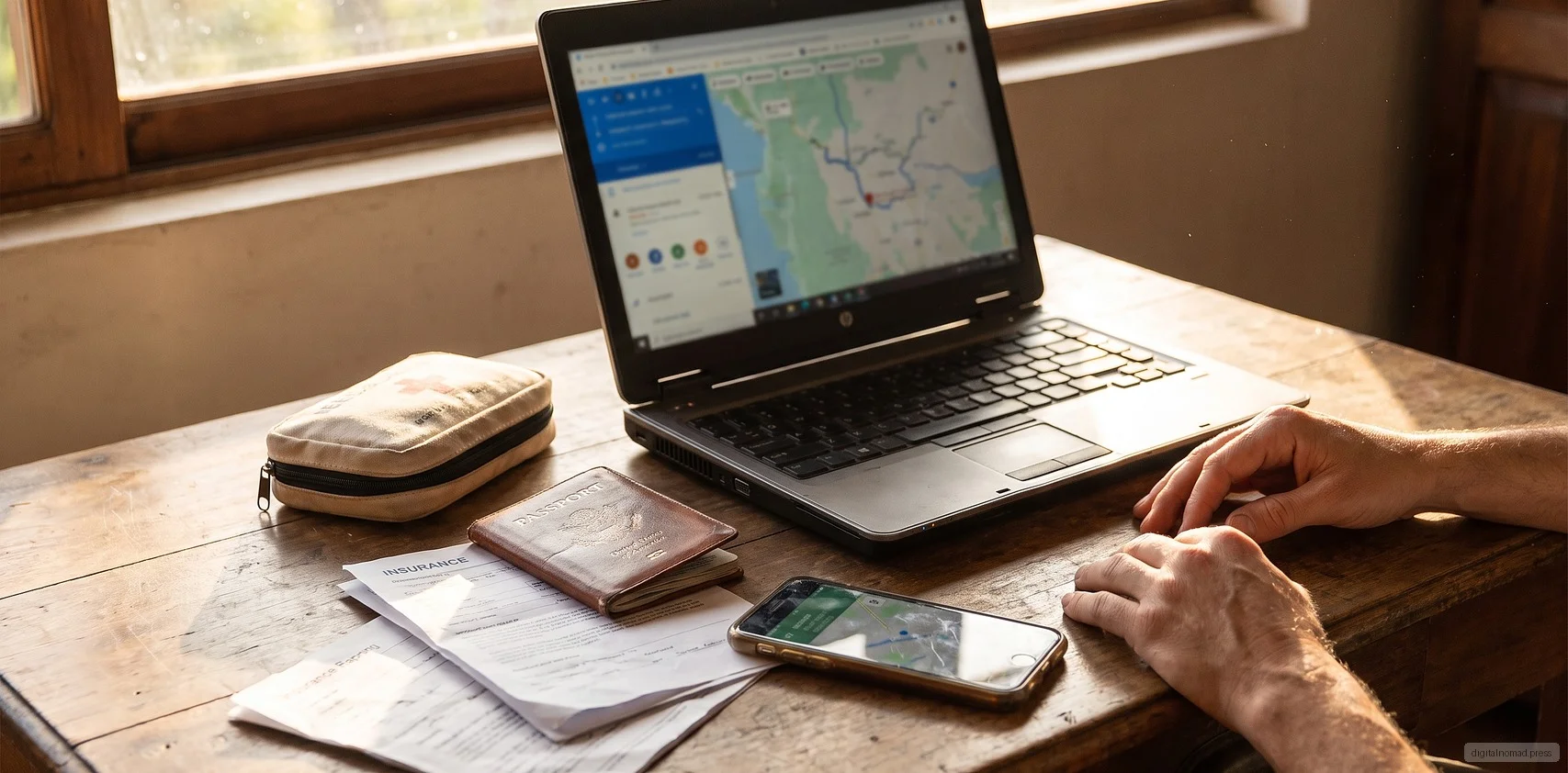
Travel Insurance Is Not a Safety Net: The Real Coverage Gap for Digital Nomads
Most people buy their first cross-border insurance policy the same way they buy an airline meal upgrade: as a five minute checkbox before payment. Pick the dates, tick the region, add a couple of riders, receive a PDF by email, and move on. The convenience creates a side effect. It suggests the traveler is now covered, that any medical, financial, luggage, or work related mishap abroad has a policy waiting behind it. Anyone who actually lives across borders for months at a time discovers quickly that this PDF covers almost none of the risks that matter. Travel insurance was designed for short trips, not for people who work, see dentists, renew visas, and replace laptops in a rotating set of cities. This article does not try to scare anyone into buying more products. It maps the real coverage gap into distinct layers and shows which type of product belongs at each layer. One: See the Edges of Travel Insurance Clearly Standard travel insurance combines two products. The first handles accidental death and disability during the trip. The second handles trip inconvenience such as delayed flights, lost luggage, and cancellations. An optional rider often covers emergency medical treatment abroad, but with strict caps, day limits, pre-existing condition exclusions, and a reimbursement model that expects the traveler to pay first and file claims later. That structure fits a business trip. It does not fit someone spending three months in Lisbon and then two months in Bali. Travel policies typically cap coverage at 180 days per trip, which forces reissuance and reassessment of pre-existing conditions. The emergency medical clause usually excludes chronic conditions, ongoing treatment, dental, mental health, and any preventive care. And the word travel itself becomes contested. Some insurers interpret extended stays as residence, and residence changes what they will pay. Travel insurance handles accidents. It does not handle life. Relying on it during a long stay abroad quietly bets the entire healthcare picture on the assumption that nothing goes wrong. Two: International Health Insurance Is Not an Upgraded Travel Policy The second layer is international health insurance. These annual policies come from global carriers and reinsurance groups and were originally built for expatriates, international school teachers, corporate assignees, and long term overseas residents. The important difference from travel insurance is not price. It is the coverage logic. International health insurance is written on an annual basis and covers a real continuum of care: inpatient, outpatient, chronic condition management, agreed dental, maternity, and mental health. Nomads tend to underrate this layer because the premium looks harsh. A healthy person in their thirties on a worldwide excluding United States plan will often pay between one thousand five hundred and three thousand US dollars a year. Adding the United States roughly doubles that. Compared to a travel policy the numbers feel disproportionate. But the comparison is misleading. The right question is not price per year but claims logic and renewal stability. A proper international policy typically settles directly with hospitals rather than forcing the patient to front large sums. As long as coverage is continuous, pre-existing conditions declared at the start remain covered, which becomes decisive as the insured moves into their late thirties and forties. Four criteria matter when choosing: whether the geographic zone includes the actual destinations, whether outpatient and chronic care are included, whether mental health is included, and whether renewal terms explicitly forbid re-underwriting based on individual claims history. Three: Emergency Medical Evacuation Is a Separate Product Medical evacuation is routinely confused with either travel insurance or health insurance. In practice, most travel policies only cover repatriation of remains, and even health policies often cap evacuation at transport to the nearest adequate facility. True emergency evacuation, meaning transfer by medical aircraft from a remote area to a city that can actually treat the condition, or repatriation across borders to the home country, can cost anywhere from tens of thousands to hundreds of thousands of US dollars. This layer matters most for people diving in Southeast Asian islands, hiking in Central and South America, moving overland across parts of Africa, or living long term in regions where local hospital capacity varies sharply by city. Dedicated evacuation membership services exist in the several hundred dollars per year range and use a simple claims logic: if the condition meets defined criteria, the evacuation is triggered regardless of whether the local hospital has beds. The test is a personal question. If a serious accident happened in the current city today, does the traveler trust the local healthcare system to provide treatment comparable to what would be available at home? If the answer wavers, evacuation is not a luxury. It is a base layer. Four: Routine Care Belongs in Cash Flow, Not Insurance Something nomads consistently underestimate: over a year abroad, the recurring expense is not major medical events. It is dental cleanings, eye checks, dermatology, gynecology, blood work, and vaccinations. Travel insurance almost never touches these. Most international health policies require an added outpatient module before they do. A more grounded approach is to plan routine care as a cash flow item rather than an insurance item. In cities with reasonable pricing such as Bangkok, Kuala Lumpur, Mexico City, or Lisbon, paying out of pocket at a private clinic can be cheaper and faster than filing a claim through a home country insurer. Budgeting several hundred to a thousand dollars a year for out of pocket healthcare abroad, dedicated to check ups, cleanings, and standby medications, treats routine care as maintenance rather than an insurance event. Insurance handles the risks that hurt when they break. Cash flow handles the maintenance that will not kill anyone but should not be skipped. Mixing the two leads to buying the wrong product for the wrong problem. Five: Pre-existing Conditions, Chronic Illness, and Mental Health This is the layer sales scripts glide over the fastest. The pre-existing exclusion inside a travel policy is interpreted far more broadly than most buyers realize. A brief history of blood pressure medication, a few therapy sessions in the past, or a mildly abnormal thyroid reading can all be classified as pre-existing during a claim review, leaving the related treatment entirely unpaid. International health insurance handles this better, but in two distinct ways. Conditions disclosed at application are assessed and either loaded, excluded, or accepted at standard terms. Conditions that arise after coverage begins are treated normally after the waiting period. Two behaviors are decisive. Do not hide anything at application. Do not let coverage lapse. A lapse followed by reapplication resets everything previously known into the pre-existing category. Mental health is the other underrated section. The MBO Partners 2025 report highlights loneliness, time zone fatigue, and family distance as recurring nomad challenges. That means remote therapy and psychiatric support are not edge cases. They are common needs. When choosing a health policy, verify explicitly that psychiatric consultations and counseling are within scope, and that telehealth delivery is supported. Six: Equipment, Liability, and Work Interruption Insurance conversations usually stop at the human body and forget that for a nomad the ability to work equals a laptop and a small set of peripherals. Equipment and liability coverage form the fifth layer of gaps. Equipment insurance handles loss, theft, and accidental damage of laptops, cameras, lenses, microphones, and drives while abroad. Two structures are common. A home contents policy can be extended with an away from home clause, which is affordable but capped low. A dedicated professional gear policy for photographers, journalists, or content creators can insure high value items but requires an itemized schedule. Liability insurance addresses situations where the insured causes harm to others: flooding a rental apartment through negligence, injuring a pedestrian on a scooter, spilling coffee on someone else's laptop in a coworking space. Travel policies sometimes bundle a small personal liability rider, but the limits are usually too low to matter in a real cross-border legal dispute. The financial risk of not being able to work is harder to insure. Business interruption products largely require a registered corporate entity and rarely fit solo operators. The realistic substitute is a personal reserve fund covering three to six months of expenses, treating downtime as a risk absorbed through cash rather than through a policy. Seven: Visa, Residence, and the Fine Print Many digital nomad visas require applicants to hold health insurance covering local care, with minimum sums insured (often starting around thirty thousand euros) and defined categories such as emergency treatment, inpatient care, and repatriation of remains. Insurance is not only a personal risk management tool at this point. It is part of immigration compliance. A policy that appears to meet the requirements on paper may still be rejected locally. Some countries require the policy to be issued in the local language, some require the insurer to have a local office, and some refuse to accept purely online travel policies. Before applying, aligning the policy wording with the visa requirements word by word saves time. If needed, request an English confirmation letter from the insurer that explicitly references the visa criteria. Renewals deserve the same attention. If a short term travel policy was accepted at first application, the second year immigration officer may demand an annual health insurance certificate instead. Handling this one to two months before the renewal window is far safer than discovering the mismatch at the counter. Eight: Treat Insurance as a Portfolio, Not a Policy Return to the opening question. Why is travel insurance not a safety net? Because it was never designed for long term life abroad. A real insurance approach assigns different risks to different products. Accidents and short trips go to travel accident and inconvenience policies. Long term healthcare and chronic conditions go to international health insurance. Remote locations and major incidents go to a dedicated evacuation membership. Routine dental, eye, and vaccination needs go to cash flow and local private clinics. Mental health goes either into a health policy that explicitly covers it or into a self funded telehealth arrangement. Equipment and liability go to specialist gear coverage or dedicated liability riders. Visa requirements go to an annual policy that satisfies the specific immigration wording. Once broken out this way, the total cost is often lower than expected, and the coverage becomes coherent rather than accidental. More importantly, when something actually happens, there is no black hole between what was assumed and what is actually paid. The IBA Global Employment Institute noted in its March 2026 report that digital nomad issues should be understood through employment law, tax and social security, and immigration law together. Insurance cuts across all three and is the first layer that stabilizes a person's legal and financial identity while living across borders. A safety net is a feeling. Insurance is a portfolio of contracts that needs to be reviewed every year. The freedom to move between cities does not depend on the PDF in the inbox. It depends on whether someone has already arranged who catches which kind of fall.
October 5, 2026

Your Laptop Is the Office: Cybersecurity Is Now Part of Nomad Infrastructure
For a decade, most conversations about remote work have focused on productivity, time zones, and lifestyle. The topic that gets glossed over is security. When an engineer moves from an apartment in Taipei to a coworking space in Chiang Mai and then to a cafe in Lisbon, the laptop on her shoulder is effectively a miniature version of her employer. Client data, source code, financial credentials, signing keys, and identity tokens all live inside it. What used to sit behind a corporate firewall and a badge reader now travels through airport security in a 1.4 kilogram aluminum shell and connects to whichever open Wi-Fi is available. This is not paranoia. A 2025 study on the VPN security landscape published on ScienceDirect noted that as remote work expanded between 2020 and 2022, attacks targeting VPN services themselves rose sharply. Tools that were supposed to be the solution became the entry point. The structural shift is clear: security is no longer something a corporate IT team can own on its own. It rides along in the nomad's backpack and has quietly become part of personal infrastructure. Why "That Is IT's Problem" No Longer Holds Inside a traditional office, an employee's security responsibility mostly ends at "do not click strange links." Everything else is handled by the company. The network belongs to the company, the machine is issued by the company, backups are run by IT, and certificates are managed by the security team. The nomad situation inverts that model completely. When the workplace changes from an office to a cafe, a coworking space, a short-term rental, or a hotel lobby, the network trust model collapses instantly. The user cannot verify who actually operates the equipment behind a given SSID, cannot confirm whether the upstream ISP is inspecting traffic, and cannot know whether the coworking router has already been compromised. The phrase "corporate IT will handle it" becomes hollow, because corporate IT has no visibility into these segments. Identity is even more critical. In a remote environment, the company can no longer rely on IP addresses, physical location, or device ownership to answer the simple question of whether a given login is really the employee. The entire defensive perimeter now compresses onto accounts, passwords, multi-factor prompts, and device certificates. If the nomad does not take those layers seriously, no amount of policy at headquarters can compensate. The Real Risk of Public Wi-Fi Is Duller and More Dangerous Than People Think Public Wi-Fi debates tend to swing between two extremes. One camp insists that HTTPS is enough and there is nothing to worry about. The other insists that connecting to public networks is essentially handing over your data. Neither position holds up in practice. Modern websites almost universally use TLS, so the era of sniffing plaintext packets is largely over. That does not mean public networks are safe. The real risks are less dramatic. DNS hijacking can redirect users to convincing fake login pages. Certificate injection at the router layer can make phishing pages look authentic. Captive portals routinely nudge users into disabling protection. And any compromised device on a coworking network can scan its neighbors for exposed services. The reasonable posture is not "never use public Wi-Fi." It is "assume every public network is hostile." That means running sensitive operations, such as banking, tax portals, and admin consoles, over a phone hotspot rather than the cafe network. It means keeping the local firewall on and blocking inbound connections. It means turning off broadcast sharing and AirDrop on shared segments. And it means never doing a first-time login to a critical service on an unfamiliar network. VPN Is Not a Silver Bullet, Just an Encrypted Tunnel Many nomads treat their VPN subscription as the core of their security posture. That is an oversimplification. A VPN provides an encrypted tunnel from your device to the VPN server. It does not make your accounts harder to steal, does not stop phishing, and does not prevent malware from being installed on your machine. The ScienceDirect study cited above also raised another concern. VPN services have themselves become attack targets. Enterprise VPN gateways have shipped critical zero-day vulnerabilities, and consumer VPN vendors have leaked user data. Trusting a VPN provider is essentially outsourcing trust for all of your traffic to a company whose operations, jurisdiction, and logging policies may not be transparent. The pragmatic view is that a corporate VPN is a compliance requirement for reaching internal systems, and a commercial VPN is a tool for bypassing geographic restrictions or adding a modest layer on hostile networks. Neither should be treated as a magic shield. Identity and the device itself carry far more of the load. MFA: From Doing It to Doing It Right Almost every remote work security guide mentions multi-factor authentication. The problem is that many people implement the weakest possible version and then check the box. Consider SMS-based codes. They are the most common form of MFA and also the most easily bypassed. SIM swap attacks have become almost industrialized in some markets. Once an attacker takes over a phone number, SMS MFA is finished. Nomads change eSIMs, roam across networks, and pick up local numbers far more often than average users, so the risk that a home country number is suspended, ported, or fraudulently transferred is elevated. A more defensible layering looks like this. Use a physical security key such as a YubiKey, or a platform passkey, as the primary MFA. Use an authenticator app as backup. Reserve SMS only for accounts that offer nothing else. Disable SMS completely on the accounts that matter most: primary email, corporate SSO, banking, and the password manager itself. Store backup codes offline, not in a cloud note on the same laptop. The Device Itself: Encryption, Loss, Theft, and Border Checks The physical risk to a nomad's device is dramatically higher than in an office. Hotel rooms, rideshares, airport lounges, and coworking lockers are all high-loss environments. Once a device leaves your line of sight, the threat model must assume it could fall into someone else's hands. Three things are non-negotiable. Full disk encryption, using FileVault, BitLocker, or LUKS, must be on so that a powered-down machine is meaningfully protected. Login and system passwords should not be identical, so that a single shoulder-surfed credential does not unlock everything. Idle auto-lock should be measured in minutes, not hours. Beyond that, remote wipe capabilities through Find My, Intune, or an MDM must be tested before departure, not discovered to be disabled the day the laptop disappears. Border inspections are another frequently overlooked scenario. Customs authorities in some countries have the power to compel device unlocks. For nomads carrying sensitive client data, the practical response is to sign out of sensitive accounts before entering, clear active browser sessions, push non-essential files to the cloud rather than keeping them local, and consider a separate clean travel device for higher-risk routes. This is not paranoia. It is baseline respect for client data. Cloud and Identity Are the Real Attack Surface Once most work runs on SaaS, attackers stopped aiming at the laptop's hard drive years ago. They aim at cloud accounts. Email, Google Drive, Notion, GitHub, Figma, Stripe, corporate SSO. The value of taking over these accounts vastly exceeds the value of a stolen physical laptop. The mental model a nomad needs is that accounts are assets, and they are mobile assets. Several things follow. The primary account, typically email, must be the most heavily protected identity in the entire system. A password manager is no longer optional. It is the minimum floor, and never reusing passwords is the minimum bar. Login notifications should be on for every important service. Active sessions and OAuth grants should be reviewed regularly, with unused third-party integrations revoked. Corporate and personal accounts must remain strictly separated. Do not tie a personal Gmail to a client project, and do not sign in to personal services with the company SSO. Backups follow the same logic. The primary inbox needs a recovery email and offline recovery codes. The password manager should have an emergency contact or inheritance mechanism. If the corporate SSO account is disabled, the individual should not simultaneously lose access to every work-related file. These designs feel invisible in normal times. In the first hour after a device loss or account compromise, they determine how bad the damage becomes. Client Data: The Contract Says More Than You Think Freelance nomads often overlook that client contracts frequently include explicit data handling requirements. GDPR, HIPAA, financial services regulations, and enterprise vendor security assessments all specify data storage locations, encryption standards, access controls, and incident notification timelines. These clauses do not quietly stop applying just because the vendor is a single freelancer working from a beach town. A practical response is to treat client data handling as its own workspace. Dedicated encrypted folders, separate password manager vaults, dedicated cloud directories with verified server regions that match the contract, and defined destruction procedures at the end of an engagement. It sounds like enterprise overhead, but as nomads move upmarket toward larger clients, these obligations start showing up directly in contracts. Ignoring them is not carelessness. It is breach. Building a Personal Security Baseline Beats Chasing Perfection The most common failure mode in security is doing nothing because doing everything feels impossible. A more useful stance for nomads is to build a baseline that can be executed daily and then extend it over time. A workable baseline looks something like this. Every device runs full disk encryption, has short idle auto-lock, and keeps operating systems and browsers on automatic updates. Primary accounts use hardware key or passkey MFA. A password manager covers every service, and backup codes are stored offline. Work and personal accounts are separated. Sensitive operations happen off untrusted Wi-Fi. Cloud authorizations and active sessions are reviewed on a regular cadence. Devices are physically verified before leaving a coworking space or hotel room. The list is not long, but a nomad who actually executes it consistently is already ahead of the majority of independent workers in the market. On top of that baseline sit conditional defenses. Dedicated devices for sensitive projects. Data cleanup before entering jurisdictions with more aggressive border inspection. Professional liability insurance for financial or medical clients. This is layered thinking, not an all-or-nothing posture. Security Is the Invisible Resume of a Nomad Career For a mature nomad, security is not a burden. It is a part of the professional profile. A worker who can walk into a contract negotiation and articulate exactly how client data is handled, describe the encryption and backup posture in concrete terms, and commit to a specific incident notification window is bringing leverage to the table. Conversely, a nomad who stores client files on a shared computer, reuses a single password across every service, and connects to admin consoles from open hotel lobby Wi-Fi is one incident away from erasing years of reputation. The laptop is the nomad's office and also the nomad's business card. Offices are locked, backed up, and have visitor policies. That is common sense in a city. It does not become less important once the office fits under an airline seat. It only becomes harder to enforce. Recognizing that is the first step toward growing up as a nomad.
September 29, 2026

Mature Digital Nomads Do Not Just Book Flights. They Manage Risk
On social platforms, the digital nomad aesthetic is almost identical everywhere: ocean-view balcony, latte art, a laptop screen with a video call in progress. The images are not wrong, but they only show the most photogenic side of the lifestyle. What actually determines whether someone can sustain remote work abroad over the long run is not whether they can book flights or pack a suitcase. It is whether they can manage a dozen interlocking risk lines at the same time. Over the past several years, digital nomadism has shifted from a subculture to a recognized way of working. MBO Partners estimated in its 2025 report that roughly 18.5 million American workers self-identified as digital nomads in 2025, up 153 percent from 2019 and about 12 percent of the U.S. workforce. Behind that number is a simple point: this is no longer a lifestyle experiment run by a handful of bloggers. It is a mature working population that needs to be managed with real discipline. The first lesson of that discipline is accepting that nomad life is fundamentally a set of projects, not a long vacation. 1. Booking Flights Is the Easy Part Measured by time, booking flights, finding accommodation, and packing bags probably accounts for less than five percent of the effort in a full nomad cycle. The other ninety-five percent is the material that never gets photographed: anxiety while waiting on a visa decision, reconciliation work during tax season, schedule pressure caused by clients rescheduling last minute, backup plans when a landlord stops replying, cash flow gaps when a local card gets locked, and the judgment call about whether to interrupt a trip when a family member gets sick. These items share a common trait. They rarely happen, but when any one of them happens, it can wreck a month of work rhythm. That is essentially the definition of risk management. It handles not the normal case, but the shock when reality deviates from the normal case. Booking flights is execution. Managing risk is planning. The former can be outsourced to any booking site. The latter has to be internalized as a habit. 2. Nomad Life Is a Project Portfolio If a mature nomad writes down every ongoing concern, the list quickly turns into what project management textbooks call a portfolio: multiple projects that are related, share resources, and must move forward in parallel. A typical portfolio contains a visa and residence project, with each country as its own sub-project, a tax filing project across the home country and current jurisdiction, a health and insurance project, a housing and connectivity project, a client delivery project, a cash flow and multi-currency project, a device and data backup project, and a family and relationship maintenance project. Each of these has its own deadlines, its own risks, and its own key people. Framing life as a portfolio forces one honest admission: resources are finite, and attention is the scarcest resource. When a nomad is simultaneously dealing with a visa renewal, a client delivery, a change of accommodation, and a cross-time-zone meeting, they are effectively rebalancing an investment portfolio. They are not, contrary to travel-blog imagery, focusing on one destination at a time. 3. Visas: The Hardest Timeline in the Portfolio EY's Global Immigration Index update in March 2026 notes that a growing number of jurisdictions offer digital nomad or remote worker visas, while a meaningful share of those programs still carry high income requirements, strict insurance conditions, ambiguous rules, or periods of suspended enforcement. In other words, more visas exist, but not every program is actually usable in a stable way. From a risk-management view, the visa project has the hardest timeline in the portfolio. It has fixed expiry dates, fixed document requirements, fixed local conditions. It also drives many downstream decisions: whether a local bank account can be opened, whether a long-term lease can be signed, whether local health insurance is accessible, whether tax filing can be done as a resident, and whether the next flight should be booked now or later. Mature nomads work visa timelines in reverse. Starting from the expiry date, they work backward to preparation time, processing time, buffer, and a plan B destination. They do not wait until two weeks before expiry to start reading requirements, and they do not assume that renewal will simply happen. Every renewal is treated as a fresh application. 4. Tax and Income Structure: The Invisible Cost of Cross-Border Work Tax is the most consistently underestimated risk. Many nomads budget for flights, accommodation, and food, but not for cross-border tax advice, international wire fees, potential double taxation exposure, or the risk of losing home-country residency status. In reality, these costs can exceed accommodation. A single unreported foreign income episode, a residency threshold triggered by cumulative days of stay, or an employer audit prompted by a worker sitting in an undeclared jurisdiction can produce losses that are not only monetary but also reputational with employers and clients. The risk-management move is simple. Before departure, build a tax map. List the home country, all countries where the nomad may spend more than a certain number of days, and the actual sources of income. For each jurisdiction, note the thresholds that might trigger tax residency and reporting duties. The map does not need to be perfect on day one, but it should be reviewed at least every six months, and there should be a self-alert when accumulated days in any jurisdiction approach a threshold. 5. Insurance and Health: Low Probability, High Impact Insurance is a textbook low-probability, high-impact risk. It sits unused most of the time and, when triggered, can wipe out a year of financial planning. International travel insurance, local medical insurance, cross-border medical evacuation cover, device insurance, liability cover, and the minimum medical coverage that some visa programs require together form the nomad's insurance portfolio. An important detail: each policy has different triggers and exclusions. Some travel policies do not cover long stays. Some health plans only apply within specific jurisdictions. Some employer-provided policies may quietly become invalid when an employee works from an undeclared country. These details are not what an insurance agent volunteers upfront. The nomad has to read them line by line. Beyond insurance itself, health is infrastructure. Cross-time-zone work, changing diet, changing climate, and social isolation are all chronic stressors. Over years, health risk does not surface as an emergency room bill. It surfaces as declining productivity, worse judgment, and slipping deliveries. That is more likely to end a nomad career than any visa issue. 6. Housing and Connectivity: The Front Line of Delivery Risk For a nomad, housing and connectivity are not comfort questions. They are client delivery risk questions. A dropped connection during a meeting, a broken air conditioner that ruins sleep, a landlord who cancels a booking last minute, local power rationing, or a typhoon-season outage may look like small inconveniences, but they show up directly in delivery quality. A mature response operates on several layers. First, when choosing accommodation, look at measured bandwidth, power stability, and backup power rather than only the photos. Second, always have a local fallback in mind: the nearest coworking space, a paid hotel lobby with reliable Wi-Fi, a hotel with an on-site office that can be rented by the day. Third, carry a mobile connectivity plan such as an eSIM or a portable hotspot as an immediate backup when the primary network fails. Accommodation choice is no longer purely price-driven. The more mature the nomad, the more willing they are to pay a premium for predictability. The savings from a cheaper unit are almost always smaller than the trust damage from a missed deliverable. 7. Delivery and Cash Flow: Client-Side Project Management Nomad income tends to be more complex than the typical employee's. There may be a full-time employer, several long-term clients, a few short-term projects, some passive income, and investment positions in parallel. The upside is diversification. The downside is that each stream needs to be managed independently. The core project management issue here is the mismatch between milestones and cash flow. One client may pay on a sixty-day cycle, another monthly, another only at project completion. If those gaps are not drawn onto a single cash flow curve, the classic problem emerges: significant receivables on paper, and not enough real balance to cover next month's rent. The mature move is to treat every client as a project and maintain, for each, at least four basic fields: deliverable, next milestone, expected payment date, and risk rating. Review these at least every two weeks. This is not about turning life into a spreadsheet. It is about reducing the probability of losing a client because a deadline slipped through the cracks of cross-time-zone chaos. 8. Devices, Backups, and Data: Operational Resilience A stolen laptop, a failed drive, a locked cloud account, or a country-level block on a critical service are all business-interruption events for a nomad. Unlike office-based workers, nomads have no IT department to call and no spare machine waiting in a locker. There are three baseline requirements. First, always have a second usable device, even if it is a lightweight tablet with a Bluetooth keyboard. Second, keep important data in both local and cloud backups, and split the cloud copies across at least two providers. Third, enable multi-factor authentication on important accounts, and make sure that the recovery methods, whether backup phone numbers, backup email accounts, or physical security keys, still function when the primary device is lost abroad. These preparations look excessive in normal times. But after a single incident, a laptop stolen on an overnight bus, or a cloud account locked for seventy-two hours after a flagged login from a new country, that "excess" preparation becomes the difference between continuing to work and pausing revenue. 9. Time Zones and Relationships: The Invisible Drain Time zones are the most quietly damaging risk in nomad life because they never explode. They accumulate. Working out of alignment with core stakeholders for months chops up sleep, compounds decision fatigue, and slowly frays important relationships. Willpower does not fix this. It has to be designed for at the itinerary stage. A practical approach is to first identify the non-movable time zone commitments: recurring weekly meetings, family call windows, and the working hours of key clients. These are anchors. Only then should the next destination be chosen. When a location implies daily 3 a.m. calls, "getting used to it" is not a plan. It is denial. Relationship risk works the same way. Extended absences require active maintenance of family, partner, and deep friendship ties. The nomads who last are usually not the ones best at finding cheap flights. They are the ones best at budgeting time for the people they care about. 10. Putting the Mess on One Table When a single person has to manage a dozen risk lines at once, visa, tax, insurance, housing, clients, cash flow, devices, time zones, relationships, the real enemy is not any individual line. It is the cognitive load of holding too much in the head at once without ever seeing the full landscape. That load is what wears nomads down over time. Many frameworks and workshops address the same problem: externalizing the noise in the head so the decision maker can see the terrain. One Taiwanese adult education brand, Da Ren Xue, mentions a tool called Big Table in its 101 series, which is essentially the practice of laying every open decision, every ongoing project, every risk, and every deadline onto one large sheet, so the individual can see the whole picture rather than being pulled around by whichever item is loudest at the moment. Whether that specific method is worth studying depends on personal taste. The point here is not the tool. It is the underlying principle. Any worry that keeps looping in the head without landing on paper is drawing real decision energy. Consolidating visa expiries, tax thresholds, policy expiration dates, client payment days, family dates, and device backup cycles into one visible view is the first step in turning chaos into a project. 11. Mature Nomadism Is Not Romantic. It Is Sustainable. The high-traffic nomad narrative is still about freedom, scenery, and low cost of living. But nomads who reach year three, year five, or year ten talk about very boring things: compliance, backups, retrospectives, renewals, tax filings, health checkups, emergency contact lists. That boredom is exactly the evidence of sustainability. The broader environment in 2026 supports this reading. Gallup's May 2026 hybrid work indicator shows that among U.S. remote-capable employees, 52 percent work hybrid, 26 percent fully remote, and 22 percent fully on-site. ActivTrak's 2026 State of the Workplace report finds that remote-first companies are increasingly common, that fully remote workers log high productive time, and that hybrid split-day workers stretch out longer days with lower focus. The signal is the same: those who last in remote and nomadic work are the ones who can self-manage, not those coasting on environmental novelty. For digital nomads, the message is clear. Booking cheap flights is table stakes. Building an itinerary is the entry ticket. The differentiating capability is treating life as a project portfolio. As visas grow more complex, tax rules more transparent, employers pickier, and clients more mature, "manages risk well" replaces "knows where to go" as the core competency. The nomads who stay in the game will not necessarily be the best travelers. They will be the ones who require no one else to clean up their mess. They prepare in advance, keep redundancies, are honest about their limits, and rely on systems rather than willpower to fight entropy. That kind of person is an asset in any working model. They just happen to have chosen the model that most rewards self-governance. Scenery still matters. But the invisible project table behind the scenery is what determines whether the next view is ever reached at all.
September 25, 2026

Timezone Collaboration Is Not a Time Problem. It's a Trust Problem.
A distributed team spread across three continents held a retrospective after their first year of fully remote operation. The word that appeared most often in the meeting notes was not "timezone," not "tools," not "documentation." It was "waiting." Waiting for a reply. Waiting for a confirmation. Waiting for someone in another hemisphere to wake up. Waiting for a decision. Waiting for a code merge. Waiting for the point of contact to say "you can move now." Two hours of retrospective, and most sentences began with "I was waiting on..." or ended with "...they're waiting on me." Near the end, one of the leads made a quiet observation. He said the biggest waste of that year had not been the timezone spread itself. It was the fact that nobody could reliably predict whether the other person would come through on time. So everyone kept two kinds of buffer: one for the actual clock difference, and one for the uncertainty about whether the person on the other end would deliver. This article is about that second buffer. Most teams, when they first adopt distributed work across timezones, reach for tools and process. They switch to Slack. They set up Notion. They record Loom videos. They write SOPs. They agree on core hours. They standardize timezone displays. These moves are correct, but they are not root causes. Once a team is actually running, the friction that hurts is rarely "the tool is not good enough." It is almost always "we do not share the same expectations about each other's behavior." Timezone collaboration, when you push into it, keeps circling back to a single question: does this team have a clear trust contract? The Clock Is a Magnifier, Not the Real Problem A common misconception is that cross-timezone work is hard because the clocks don't line up. The clocks not lining up is a fact, but that is only the visible symptom. What actually breaks the team is that when the clocks don't line up, people cannot tell what state their colleagues are in. Did that teammate not reply because she's asleep, in a meeting, or actively ignoring the thread? Did the manager not approve the request because he's on vacation, thinking it over, or he simply hasn't seen it? Did the engineer not push code because he's stuck, thinks it isn't urgent, or is deliberately waiting on somebody else to move first? When a team sits in the same room, none of these questions get asked out loud. A glance across the office is enough. When the team is scattered across three timezones, every single question requires an explicit check, and every check has to wait for the next handoff window. A doubt that would have taken thirty seconds to resolve now takes a day and a half. By the time the answer arrives, the person who asked has often forgotten why the question mattered. After this pattern repeats a few times, teams tend to react in one of two ways. The first reaction is "tighten the leash." The manager starts demanding that everyone be online, that replies come in real time, that more meetings get scheduled, that every task come with more granular status. This looks like a fix for ambiguity, but what it actually does is force a distributed team back into a synchronous mold. Nothing gets faster. The people in inconvenient timezones end up working strange hours, their sleep gets damaged, their deep work gets shredded, and some quietly start updating their résumés. The second reaction is "let everyone self-govern." The manager announces that people are grown-ups and can figure it out. This looks respectful, but in practice it dumps the entire burden of setting boundaries onto individual contributors. The reliable people get overloaded. The less reliable ones hide behind the timezone gap. Over months, trust corrodes. The common flaw in both reactions is that neither of them addresses trust as the actual problem. They just move the cost of distrust from one place to another. What a Trust Contract Actually Is The phrase "trust contract" sounds abstract, but it can be broken down into something very concrete. It refers to whether every member of the team has a shared, actionable answer to the following questions. First, when is synchronous conversation required? Which decisions actually need real-time discussion, and which are better served by writing something down and letting people think? Without an explicit agreement, two failure modes appear. Small items get pulled into meetings, eating everyone's deep work window. Big items get buried in message threads because no one wants to take responsibility for calling a meeting. Second, who has decision rights? Who is the owner of this project? When that person is offline, who can decide on her behalf? If the decision turns out to be wrong, who takes the hit? When this is unclear, a peculiar kind of paralysis appears in distributed teams. Everyone waits for a specific person to come online, but when that person does come online and reads the thread, they cannot tell whether they were expected to decide, so they punt the question back into the void. Third, what response time counts as abnormal? Is four hours slow? Eight hours? A full day? In a shared office, this question never surfaces because you can see the person at their desk. Across timezones, "no reply" could mean "asleep," or it could mean "read and ignoring." The team has to agree in advance which delays are normal and which silences require intervention. Fourth, when does something need to be escalated? Some problems will resolve themselves if left alone. Others will explode if not addressed within hours. The first category belongs in an async channel. The second category may require an actual phone call, a text message, or waking someone up in another timezone. If the team lacks a shared standard, members either fail to escalate when they should, or wake people up over things that could have waited. Fifth, what evidence needs to remain when work changes hands? When work moves from person A to person B, what must A leave behind? Just conclusions? The reasoning? Failed attempts? The next planned step? Without a shared standard, every handoff becomes a puzzle. The next person has to reverse-engineer the thinking of the previous one, which often costs more than the original work. A trust contract is not a poster on the wall listing company values. It is the specific set of answers to these five questions, held in common by every team member and honored in daily practice. When the contract is clear, timezones become an advantage. When it is fuzzy, no amount of tooling can save the team. Why "Let Everyone Self-Govern" Doesn't Scale Across Timezones In a single-timezone office, managers do not need to design many collaboration rules, because social pressure fills the gaps. Someone who ships late gets a raised eyebrow from a colleague. Someone who drags a meeting past dinner hears complaints in the hallway. Someone who decides too slowly gets cornered next to the coffee machine. These informal signals substitute for rules. Distributed work switches off almost all of these signals. You cannot see anyone's raised eyebrow. You cannot hear anyone in the hallway. Every expectation that used to be transmitted through body language now has to be spoken out loud, in writing. Many managers underestimate this. They carry over habits from the physical office and assume that "these are adults, they'll figure it out." But the distributed team members are not failing to understand. They are simply not receiving the signal. In an office, an offhand "I'd like this wrapped up by end of day" is an unambiguous deadline. Across three timezones, "end of day" resolves to three different points in time, and each person interprets it independently. There is a deeper reason self-governance struggles across timezones. Self-governance requires a reference point. When everyone is on the same rhythm, self-governance means "keep pace with the group." When each person is on a different rhythm, "keep pace with what?" becomes a philosophical question. Some people align with the manager's timezone and burn themselves out. Others align with their own local hours and get labeled hard to work with. A third group tries to split the difference and ends up doing both badly. A mature distributed team does not bet the quality of collaboration on the assumption that everyone will be perfectly self-disciplined. It builds a set of rules that shifts the burden of discipline from the individual to the system. The individual just has to follow the rules. They no longer have to guess, every day, whether they're doing the right thing. The More Global You Get, the More Explicit You Need to Be There is a paradox worth sitting with. The teams that most emphasize flexibility, decentralization, and flat structures are the ones that most need clear working agreements. At first that sounds backwards. Isn't flexibility supposed to be about not needing agreements? Isn't flatness about not needing rules? But look closer. Flexibility and flatness both assume that every member of the team can, in the absence of explicit direction, make choices that align with everyone else's choices. That kind of alignment is not achieved through supervision. It is achieved through a shared mental model. Distributed teams cannot rely on supervision, because there is no one supervising. A shared mental model becomes the only remaining coordination mechanism. Shared mental models do not appear on their own. They emerge through repeated conversation, repeated mistakes, and repeated correction, slowly hardening into team consensus. That hardening process is what building a working agreement actually looks like. A cross-timezone working agreement usually contains several layers. The first layer is a response time SLA. Not a rigid "you must reply in five minutes," but a classification of messages by urgency. A general question gets a reply within twenty-four hours. A decision request gets an answer within forty-eight. A true emergency gets an actual phone call. The benefit of this layer is not compliance. It is that every person knows how their message will be treated, and knows how to signal urgency when it is real. The second layer is core hours. Everyone in the team has some block of time each day where they should be reachable. It might be as little as two hours. Its importance is out of proportion to its length. It is the team's heartbeat. Outside of core hours, people work when they want. Inside of core hours, synchronous work is allowed. This design respects individual rhythm and preserves collective rhythm at the same time. The third layer is a handoff protocol. When work passes from one timezone to the next, what needs to travel with it? A minimum viable handoff includes current state, known risks, next action, blockers, and the point of contact. Writing those five items rarely takes more than fifteen minutes, but they save the receiving person hours of guesswork. The fourth layer is a decision log. Important decisions cannot live only in one meeting, one message, or one person's head. They need to be captured, along with the decision itself, the person who made it, the reasoning, the alternatives considered, and the expected impact. New hires can then understand how the team got to where it is. Decisions stop getting relitigated every few months because the rationale is written down and searchable. The fifth layer is an escalation path. When can a member bypass a normal point of contact and reach someone more senior? When can they page an on-call? When is a phone call appropriate instead of a message? If these boundaries are unclear, people make two kinds of mistakes. They interrupt people they shouldn't, and they hesitate to reach out when they really should. Add the five layers together and you have a concrete trust contract. It looks like a lot to set up, but once it exists, the ongoing cost of collaboration drops sharply. The Manager's Real Job Is Design, Not Surveillance Everything above implies that the manager of a distributed team does a very different job from the manager of a co-located one. Co-located managers can, at least partially, manage through presence. Distributed managers must manage through design. A good distributed manager does not demand that everyone shift to their timezone. They do not check who came online at what time. They do the following things instead. First, they name a Directly Responsible Individual for every meaningful piece of work. The DRI is the person you look for when the thing goes wrong. The DRI does not necessarily do all the work. What they hold is the authority to decide and the accountability for outcomes. When every workstream in a distributed team has a DRI, people stop getting stuck on "I don't know who owns this." Second, they design defaults. What happens when nobody makes an explicit choice? Is the default to proceed, or to wait? Is the default that the manager decides, or that the proposer decides? These defaults must be set in advance. A distributed team cannot resolve default situations through real-time discussion, because in a real-time sense, there is no one to talk to. Third, they reduce the cost of chasing people and guessing intent. A good manager asks: how much time is this team spending on locating someone and interpreting their probable meaning? If that fraction is high, the problem is not the people, it is the system. Better calendars, better status indicators, better documents, and clearer ownership all reduce chasing cost. Fourth, and most under-appreciated, they model reliability themselves. Trust in a distributed team gets seeded by the manager. If the manager makes casual commitments and misses them, the team learns that commitments are elastic. If the manager promises a Thursday response and delivers on Thursday, week after week, the team gradually raises its own bar. The slogan version of this section is: a good manager does not demand that everyone be online, but designs a mechanism where mutual trust is predictable. The slogan sounds fluffy. Broken down into daily behavior, it is the four items above. The Remote Worker's Own Job: Being Predictable The trust contract is not the manager's problem alone. Every member of a distributed team owes something back. This section is for the individual contributor. A somewhat harsh fact worth accepting: in a distributed team, your professional skill accounts for only half of how you are evaluated. The other half is reliability. Reliability is not a question of whether you cheat on hours. It is a question of whether your colleagues, when they cannot see you, can predict your behavior. A handful of habits raise personal reliability sharply. First, write down what you promised. Whatever you said you would do, do not keep it in your head. Put it in a shared place. The point is not to prevent forgetting. The point is that a colleague who sees the record does not need to chase you. Visibility replaces pestering. Second, update proactively when the plan slips. If you know something will be late, tell the other person before the original deadline arrives, not after. Many people fail this. They tell themselves "I might still make it," and then don't, and the person on the other side of the world waits an entire day for a status that never comes. Proactive updates cost ten seconds. Silent slippage costs your colleague's trust in you. Third, write down the reasoning, not just the conclusion. When you hand work off to the next timezone, "done with A, hit B, stuck on C" is worth vastly more than "done." The receiving person needs context, not just outcomes. Five minutes of context saves them thirty minutes of reconstruction. Fourth, publish your available hours clearly. You do not have to be on call twenty-four hours a day. You do have to make it easy for colleagues to know when you are reachable. A shared calendar, an explicit status, a short personal SOP: any of these makes you predictable. Being predictable matters more than being present. Fifth, before you go offline, leave behind "the first thing to look at tomorrow." Write it in a shared document or thread. It helps the night timezone see where you left off, and it saves your morning self from spending twenty minutes remembering. Small habit, outsized effect on handoff quality. Sixth, treat "read" and "handled" as different states. In a distributed context, a colleague who sees you read a message may assume you will act on it. If you cannot act on it soon, a single line of "got it, will handle tomorrow morning" beats silence by a hundred to one. This is basic collaborative courtesy. Seventh, build reliability slowly and do not spend it in one go. Distributed teams evaluate you on a longer cycle, because they cannot see your day-to-day process. One broken commitment often takes several kept ones to repair. Under-promise is a better long-term strategy than aggressive promise-and-miss. It looks conservative, but it compounds. The Rhythm You're Aiming For When a team has a real trust contract, when the manager designs well, and when individuals show up reliably, a distinctive rhythm emerges. This rhythm does not exist in single-timezone offices. It resembles a relay race, but it is not quite one. In a relay, each runner knows who receives the baton and how to pass it. In a distributed team, each person, at the end of their working day, hands their unfinished work over cleanly, rather than throwing it. Clean handover means the next person can continue seamlessly. Thrown handover means the next person has to spend time reconstructing before they can start. Once this rhythm is established, the manager notices something. They no longer chase. Every person, before going offline, has already made their work legible. Nobody needs a morning roll call, because the document already says. Nobody needs an emergency evening meeting, because decisions are already routed through their DRIs. The manager can even take a vacation and leave the team to itself, because escalation paths, decision rights, and ownership are all defined. Team members feel it too. They stop worrying whether the manager thinks they're slacking off, because their output speaks. They stop working till midnight because of the timezone spread, because the working agreement protects their sleep. They can actually go offline, because on-call and escalation are not silently pooled onto one person. It sounds idealized. Some teams actually get there. What they have in common is not smarter people or fancier tools. It is that they spent real time writing the trust contract down, and then they actually used it. A Checklist You Can Take Home To make this article useful in practice, here is a distilled checklist to review with your own team. At the team level: Do you have an explicit set of core hours that everyone knows and respects? Do you have response time tiers for general, decision-related, and emergency messages? Does every active workstream have a named DRI? Do you have a written escalation path for genuinely urgent moments? Are important decisions captured in a decision log? Do handoffs follow a common format covering state, risks, next steps, blockers, and points of contact? At the manager level: Are you implicitly asking people to work in your timezone? If so, redesign. Are your own promised response times stable? Do you extend the same trust and opportunity to members regardless of their timezone? Is your calendar transparent to the team? Have you thought through how a cross-timezone emergency will actually be handled? At the individual level: Are your commitments written where others can see them? Do you update proactively before a deadline slips? Do handoffs from you include reasoning, not just outcomes? Do your colleagues know when you are reachable? Do you understand that one broken commitment takes several kept ones to repair, and act accordingly? Keep this checklist on your desk. Review it once a quarter. Distributed collaboration quality will shift, slowly but perceptibly. Closing: Trust Is an Asset, and Also an Infrastructure Return to the lead's observation from the opening. The biggest waste of that first year was not the timezones themselves. It was the fact that nobody could reliably predict whether the other side would come through on time. Everyone carried two kinds of buffer. That extra buffer has a name. It is trust debt. Trust debt behaves like financial debt. You can defer it, but it compounds. The longer you defer, the harder it is to repay. A distributed team that does not repay its trust debt develops a strange condition. The workload has not increased, but every person feels exhausted. They are doing their job and also constantly hedging against uncertainty. The cost of hedging is often larger than the cost of the job. Conversely, a team with a clear trust contract can span ten timezones and still move fluidly. They do not achieve this through more meetings, more messages, or more tracking. They achieve it through a shared understanding that everyone actually holds and respects. If your distributed team has been endlessly debating "how to schedule meetings," "how to write docs," or "which tool to use," consider pausing to ask a deeper question. Do we share consistent expectations about how each of us will behave? If the answer is no, then no combination of tools is a shortcut. It's a detour. Trust is an asset that takes time to accumulate. It is also an infrastructure that has to be deliberately designed. The real difficulty of cross-timezone collaboration was never the clock. It was the people. And people, as always, are more complicated than clocks. They are also more worth investing in. (Digital Nomad editorial team)
September 7, 2026

What Freelancers Really Need to Manage is Not Clients, but Uncertainty
Many freelancers dread dealing with difficult clients. Requirements keep changing, replies are slow, deadlines are tight, and budgets are low. You try your best to accommodate them, yet they always feel something is missing. You hand over the work, and the client says it is not what they want. You ask what they want, and they say they cannot explain it, but it just feels wrong. After experiencing this a few times, many freelancers come to a conclusion: the most painful part of freelancing is managing clients. But this statement is only half right. Because the real trouble is usually not the client themselves. It is the unmanaged uncertainty during the collaboration process. Uncertain requirements make every discussion feel like starting from scratch. Uncertain scope turns a minor tweak into a complete redo. Uncertain responsibilities mean anyone on the client's side can give feedback, yet no one takes responsibility for the final decision. Uncertain acceptance criteria make you think the job is done, while the client feels it has just begun. If freelancers fail to see this, they will keep thinking the problem is a difficult client. From a business perspective, many difficult clients are actually created by a poor collaboration process. Not every client naturally knows how to work with freelancers. They do not all know how to clarify requirements, bring in decision makers, or consolidate feedback. Often, the client is just as confused. If you simply follow their confusion, you will end up absorbing the cost of all that uncertainty. Good Clients Are Designed, Not Found In the early days of freelancing, many rely on luck for the quality of collaboration. If they meet a client who communicates clearly, pays on time, and makes crisp decisions, they feel lucky. If they encounter a client who constantly asks for revisions, adds last-minute tasks, and has conflicting internal opinions, they feel unlucky. Of course, client maturity does vary. Some clients are great at collaborating, while others are disorganized. But if you rely on luck for every project, your freelance career will be exhausting. A more mature approach is to break down a good collaboration into several designable steps. First, clarify goals before starting. Many freelancers rush to quote as soon as they hear a request. The client asks for a website, and you ask how many pages. The client asks for branding, and you ask how many proposals they need. The client asks for copywriting, and you ask for the article count. However, these are specifications, not goals. The real questions to ask are: What problem do you hope this project solves? What is your biggest challenge right now? If you consider this collaboration successful three months from now, what exactly will have happened? These questions seem slow, but they actually save time later. If goals are not aligned from the start, all subsequent specification discussions turn into a guessing game. Second, clearly define the scope. The scope should not just be building a website or designing a presentation. This description is too vague and practically useless. You need to detail what is included, what is excluded, how many rounds of revision are allowed, the definition of each revision round, scenarios that require a new quote, materials the client must provide, and how deadlines adjust if the client delays. Many hesitate to write these down out of fear the client will find them petty. Yet the real relationship breaker is rarely setting clear rules upfront. It is arguing halfway through the project about whether something was included in the original quote. Third, bring decision makers in early. Freelancers often face a scenario where their initial contact approves everything. Then, at the final stage, the boss, manager, partner, spouse, or investor suddenly steps in and dislikes it. This is frustrating because you have already done multiple revisions based on the contact's feedback. From the client's perspective, the real decision maker is seeing the work for the first time, so they naturally give feedback from scratch. Therefore, ask upfront: Who makes the final decision? Who needs to be involved along the way? At what milestones should the decision maker review the work? If multiple people provide feedback, who is responsible for consolidating the final response? This is not bureaucracy. It is protecting the quality of the collaboration. Remote Freelancing Requires Explicit Agreements In an office, much collaboration relies on unspoken understandings. A colleague asks a quick question, a manager adds a comment during a meeting, or people pick up background information in the break room. Many things are simply understood this way. Remote freelancing lacks this natural flow of information. You are in Taipei, the client is in Singapore, the designer is in Bangkok, and the developer is in Kuala Lumpur. People are not necessarily online at the same time, nor do they always understand problems in the same language. What you think is obvious might be completely missed by the other party. What you think is a minor tweak might look like a total change of direction to them. This is why managing collaboration for digital nomads and remote freelancers cannot just rely on everyone being nice. Being nice only lowers the emotional cost of conflict. It cannot replace a process. What truly reduces risk is documenting key collaboration details. Start with a project brief that outlines goals, scope, deliverables, timeline, and roles. Follow every meeting with short notes confirming decisions, action items, owners, and deadlines. Include an explanation with each delivery round. Tell the client what problems this version solves, what areas need their approval, and which types of feedback might affect the future timeline or budget. Do not let feedback scatter across chat apps, emails, shared documents, presentation comments, and verbal messages. Centralize it when possible, number the items, and ask the client to consolidate feedback instead of sending it in five separate pieces. These tasks do not look like creative work or professional skills. Yet for a freelancer, they often determine whether you can finish a project smoothly. Many highly capable freelancers fail at collaboration management. They can produce great work, but the results are drained away by unclear requirements, incomplete decisions, and constant changes. Changes Are Not the Enemy, Unmanaged Changes Are Freelancers often fear clients changing their requirements. Frankly, changing requirements is normal. Clients might not have a clear vision initially. Market conditions can shift. Internal company opinions might emerge. The client might only realize their original idea was wrong after seeing a draft halfway through. These are all common scenarios. The problem is not the change itself. The problem is when the change goes unmanaged. If every change is treated as a free service, the client will not realize that changes have costs. If changes are not recorded, no one will be able to explain what was altered by the end of the project. If you do not reconfirm the timeline and budget for every change, you will be forced to absorb all the uncertainty with your own time. Therefore, freelancers need to establish a simple rule for changes. This is not to make things difficult for the client. It is to ensure both sides know how to handle situations when the direction shifts. For example, minor text edits are included in the original revision rounds. Adding pages, changing strategic directions, creating different audience versions, or requesting extra interviews requires a new time estimate and quote. It is best to include these rules in the contract. If there is no contract, at least put them in the quote or collaboration overview. Do not wait until a conflict happens to introduce rules, because it is usually too late by then. Some worry that stating this clearly will make them seem difficult to work with. My view is the exact opposite. Truly mature clients usually appreciate it when you establish clear rules. It shows you are not just taking projects blindly, but actually know how to steer a collaboration to success. Clients who get upset because you clarify boundaries upfront are likely the ones you need to be careful with. Freelancing is Also a Form of Small-Scale Project Management Many freelancers dislike the term project management. They feel it is something used by large corporations, engineering teams, project managers, and executives, and has nothing to do with solo freelancing. But if you look closely, a freelance gig is actually a small project. It has goals, timelines, scopes, resource limits, stakeholders, risks, changes, deliverables, and acceptance criteria. The only difference is that a large company project might have a dozen people sharing the load. A freelancer often acts as sales, project manager, executor, customer service, finance, and legal contact all at once. So you actually have a greater need to understand basic project management. You do not have to learn a bunch of jargon or get a certification. But you should at least know how to define scope, break down deliverables, set milestones, manage changes, involve decision makers at the right time, and highlight risks early. If we relate this back to the ProjectUp courses, the 101 Project Management One-Day Bootcamp or 102 Process Design and Cross-Departmental Communication can actually provide freelancers with very practical foundational skills. This is not because freelancers need to become corporate project managers. It is because you need to start using mature methods to manage the variables that cause projects to derail. Especially when you hope to freelance remotely, collaborate internationally, or even work while traveling, these skills will be more important than you think. Because distance amplifies chaos. Something you cannot explain clearly in the same office will only become more confusing in a cross-timezone remote collaboration. Finally, Do Not Treat Smooth Collaboration as the Client's Responsibility Freelancers who want a long career cannot just hope to meet good clients. Good clients are certainly important. But you also need the ability to guide average clients into better collaboration methods. Ask about goals clearly from the very beginning. Write the scope clearly when quoting. Explain roles and decision processes clearly when starting the project. Record progress and changes clearly throughout the process. State the acceptance criteria clearly upon delivery. Doing these things is not romantic. They will not make you look like some amazing superstar freelancer. But they will save you a lot of pointless exhaustion. The freedom of freelancing is not just about choosing where you work. More importantly, it is about whether you can stop work from constantly eroding you in chaotic ways. When you start managing the uncertainty in collaboration, you are no longer someone just dragged along by client demands. You will gradually become a professional service provider who can clarify vague matters and turn chaotic collaborations into an executable state. This is the true capability worth building as a freelancer.
August 3, 2026

Why You Have Endless Projects but No Real Freedom: The Capacity Trap Freelancers Ignore
Freelancers fear having no projects. But for many, the real problem is not a lack of work. It is having too much work. This sounds contradictory. For someone just starting out, landing clients is a good thing. Having projects means the market is willing to pay. It means your skills are needed. It means this career path is viable. However, if you ask experienced freelancers, they will likely give you a less romantic answer. A constant stream of projects does not guarantee freedom. Often, it just turns you into a busy, anxious employee who struggles to take a day off. Before, your company managed your workload. Now, the market dictates it. Before, you could leave work at the office. Now, as long as a client is unsatisfied, a final payment is pending, requirements are shifting, or files are undelivered, the burden stays with you. The first major hurdle for a freelancer is realizing you are not actually pursuing freedom. You are simply slicing your time into tiny pieces and selling them to different clients. This is the capacity trap. You Are Busy Because Your Business Model Demands It When exhaustion hits, a freelancer's first instinct is to improve efficiency. They look for better tools, study time management, organize Notion templates, and buy new AI software. They try to squeeze more tasks into the same day. These methods certainly help, especially if the original workflow was chaotic. Tools eliminate friction. But efficiency has a hard ceiling. You cannot compress the time needed for deep thinking to zero. You cannot make communication, comprehension, revisions, delivery, and billing completely effortless. As long as your income relies heavily on your personal time investment, you will hit a wall. The deeper issue is that many freelancers do not suffer from low efficiency. Their business model is fundamentally designed to keep them busy. If every project is highly customized, you must interpret new requirements every single time. If every quote is calculated from scratch, you must recount your costs for every pitch. If every client prefers a different communication style, you constantly switch your rhythm. If every delivery lacks clear specifications, you rely on endless revisions to fix poorly defined expectations. If your service has no boundaries, clients will naturally dump every related problem on your desk. Working harder only makes this unhealthy system spin faster. You might feel responsible and hardworking. But your effort is just fueling a bad design. Stop Asking How to Do More and Start Asking What Not to Do Many freelancers get stuck on a mental hurdle. Since they work for themselves, shouldn't they try to accommodate every client? A client asks for a small addition, and you agree. A client has a tight budget and asks for a favor, and you compromise. A client asks for a discount now in exchange for future work, and you hesitate to say no. A client has vague needs but wants you to start immediately, and you figure you can adjust along the way. Each concession seems minor. But together, they create a chaotic workflow where you are constantly patching holes. You patch the holes of unclear client needs, vague quotes, ambiguous contracts, and your own reluctance to say no. Eventually, you are not crushed by one massive crisis. You are dragged down by a thousand tiny ambiguities. The first mature skill a freelancer must learn is not addition. It is subtraction. Subtract the bad clients. Subtract the project types not worth long-term effort. Subtract the services you have to build from scratch every time. Subtract the low-quality work you only take to fill a schedule gap. Subtract the exhausting collaborations that yield no portfolio pieces, no referrals, and no new skills. This does not mean acting arrogant from day one. Beginners absolutely need diverse projects to understand the market and build a portfolio. But you cannot stay in the "any client is a good client" phase forever. You must eventually look back. Which projects make you stronger? Which projects just make you tired? True business management is not about grabbing every opportunity. It is about knowing which opportunities will actually take you where you want to go. High Customization is a Freelancer's Most Expensive Cost Professional services easily default to high customization. Every client believes their situation is unique. Every project has a special background. Freelancers often assume that tailoring everything from scratch is the mark of a true professional. This is only half true. True professionalism means understanding the client's context. But if you redesign your process every single time, you can never build efficiency or guarantee stable quality. More importantly, your reputation becomes impossible to scale. If a satisfied client refers you to a friend, but your service changes completely for the new project, the friend might get a drastically different experience. Your referrals become unreliable because the market does not know what you reliably excel at. Conversely, if you streamline your services into a few clear models, everything changes. Clients easily understand what you offer. You can accurately estimate time and costs. You can clearly explain workflows and boundaries before starting. You can review the process and make improvements after delivery. When the next similar client comes along, you optimize your existing foundation instead of starting over. Standardization does not lower your professionalism. It ensures your professionalism is delivered consistently. Many fear that standardization makes their work rigid. But for a solo freelancer, zero standardization is the greatest danger. It forces every decision to rely on your immediate reaction. It ties your work quality to your daily energy levels. It forces you to absorb all the hidden costs. That is not freedom. That is trapping yourself in a completely unpredictable work environment. Pricing is Not About Numbers. It is About Understanding Your Capacity When setting prices, freelancers obsess over market rates. What is everyone else charging? Am I too expensive? Will the client think I am greedy? What if I quote too high and they walk away? Market rates matter, but they are not the ultimate metric. Your quote is not just a price tag. It is a tool to manage your own capacity. If you price too low, you must take on more projects to hit your income goals. More projects mean you have no time to improve your service. With no time to improve your service, you can only trade more hours for money. Trading more hours for money makes it even harder to justify raising your rates. This forms a trap that is incredibly difficult to escape. Many believe low prices generate good word-of-mouth. In reality, low prices usually bring tighter deadlines, worse moods, lower tolerance for revisions, and clients who make it very hard to say no. Good pricing does more than convince a client to buy. It gives you the resources to do an excellent job. It must cover communication costs, comprehension time, revisions, project management, the risk of dry spells, learning time, and the margin you need to continuously improve your service. If your quote only calculates the hours required to execute the task, you are severely underestimating the true cost of professional work. Freelancers do not just sell time. They sell their accumulated experience, judgment, methodologies, tools, risk tolerance, and the ability to turn chaos into a finished product. If these factors are not built into your price, your business might show a cash flow, but it will slowly bleed you dry. V014 is Built for People Trapped in Busy Without Freedom If a freelancer simply lacks projects, they might just need better exposure, a stronger portfolio, new platforms, referrals, or clearer market positioning. But if they have projects and feel increasingly tired, chaotic, and deprived of choices, the problem goes much deeper. It moves to a structural level. How do you design your service? How do you filter your clients? How does your pricing reflect your true costs? How do you establish boundaries? How do you turn your expertise into a product the market understands, trusts, and is willing to buy? This is exactly why the V014 course on Systematic Approaches to Selling Professional Services is designed for freelancers. It does not teach slick sales scripts or push you to aggressively promote yourself. Instead, it addresses the exact area professional service providers ignore. It teaches you how to shape your skills into a model the market trusts, allowing you to build a sustainable business. For freelancers, this is more important than it seems. You do not just want to close a deal once. You want to build a sales process that will not crush you. You do not just want clients to say yes. You want the right clients to buy the right service with the right expectations. You do not just want to finish a project. You want every collaboration to lay the groundwork for an even better one next time. This is the fundamental shift from taking random gigs to running a true business. True Freedom is the Ability to Reject the Wrong Work Many people imagine freelance freedom as the ability to work from anywhere. For a freelancer, the far more valuable freedom is the ability to reject the wrong work. You can reject unreasonable deadlines. You can reject clients who disrespect your expertise. You can reject projects that drag you back into cheap labor price wars. You can reject short-term cash grabs that offer zero long-term value. You can reject tempting opportunities that steer you away from your actual goals. This freedom does not appear overnight. You build it slowly by establishing service standards, a strong portfolio, deep trust, price baselines, and a steady client pipeline. It also requires you to be honest about your own capacity. You only have so much time in a day, attention in a week, and tolerance for high-stress projects in a year. If you spend all your capacity on the immediate projects in front of you, you will never have time to upgrade yourself. If you do not upgrade yourself, you are stuck taking the exact same tier of projects. If you keep taking the same tier of projects, you will loop endlessly in the same bracket of income and exhaustion. This is the true terror of the capacity trap. It does not force you to fail immediately. Instead, it makes you look busy, productive, and in high demand. But years later, you realize you traded massive amounts of time for a stagnant, exhausting stability. For digital nomads and freelancers, this superficial freedom masking actual stagnation is the worst possible outcome. Improve Your Service First, Then Free Your Life If you are currently freelancing and already feel burned out, do not rush to blame your work ethic. Do not immediately assume you just need better software tools. Ask yourself a few fundamental questions first. Are my projects becoming similar enough that I can build a repeatable method? Do my quotes include the real costs of communication and management? Is my service clear enough that clients know exactly what they will get before we start? Are my revision rules, delivery scope, and timelines clearly stated on day one? Do I regularly review which projects help me grow and which ones just drain me? Do I reserve time to actually improve my product, or am I stuck in a cycle of only delivering it? These questions are far more important than asking how to get more clients. More projects do not guarantee more freedom. Sometimes, they just guarantee a longer to-do list. The true goal for a freelancer is not a packed calendar. The goal is to ensure every project aligns with the business you actually want to build. When your services become clearer, your clients get better, your pricing becomes rational, your workflow stabilizes, and your reputation becomes repeatable. Only then will you realize something profound. Freedom is not the absence of work. Freedom is work no longer controlling you through chaos. That is when you finally have the chance to turn freelancing from a basic income stream into a growing, thriving business.
July 23, 2026

Remote Work Is Not About Flexible Hours. It Is About Making Your Work Handoff-Ready.
Many people imagine remote work like this: sleep in, open the laptop, do whatever you want, and call it a day when you are done. That fantasy lasts about two weeks. After two weeks, things start getting stuck. Not because you are lazy, but because your working style is still stuck in the "only you know what you are doing" mode. In an office, this is not a big deal. Your colleague can turn around and ask about your progress. Your manager can walk by and see your screen. A lot of information flows automatically just because people share the same physical space. Remote work severs that automatic flow. If you do not actively write down your work status, progress, and decision rationale, you become a black box to your team. They do not know what you have done, where you are, or what comes next. And the longer a black box exists on a team, the faster trust erodes. The core competency of remote work is not "self-discipline." Self-discipline is just the entry ticket. What actually keeps you alive in a remote environment is your ability to turn your work into a system that others can understand, pick up, and track. In other words, remote work is not about arranging your own schedule. It is about making your work into a handoff-ready system. The Nature of Async: Not "I'll Reply Later," but "I'll Give You Everything You Need in One Message" The most common frustration in remote teams is communication efficiency. Not because there are too few messages, but because messages are too fragmented. You send: "What should we do about this?" Three hours later, the reply comes: "About what?" You respond: "That client project." Two more hours pass: "Which client?" One round trip at a time, something that could have been resolved in five minutes drags on for an entire day. This is the classic symptom of synchronous communication habits failing in an asynchronous environment. Synchronous communication (face-to-face or live calls) tolerates fragmentation because you can immediately follow up and clarify. But asynchronous communication (text messages, emails, comments) carries a delay cost with every round trip. If your message requires the other person to ask follow-up questions before they can understand it, you are wasting both people's time. The golden rule of async communication: "Give enough information in one message so the recipient can take action after reading it." Specifically, every message you send should contain four elements. First, context. "Regarding Client A's logo redesign project." This lets the recipient know what you are talking about within three seconds. Second, current status. "Three concepts are completed. The client chose Concept 2 but wants the color palette adjusted." This tells them where things stand. Third, your question or request. "I need you to confirm: should the adjusted palette use warm orange or coral tones? This affects the entire brand color set." This tells them what you need. Fourth, a deadline. "I'd appreciate a response by Wednesday so I can deliver the revision by Friday." This tells them the priority level. Four elements, one message. The recipient reads it and can decide immediately, without five rounds of back-and-forth just to figure out what you are asking. This is not bureaucratic writing. It is saving the other person's cognitive energy. The clearer your messages are, the easier it is for people to help you. Conversely, the vaguer your messages, the more likely they are to be ignored (not out of malice, but because the recipient simply does not know how to respond). Task Decomposition: Making Your Progress Visible to Others "I'm working on that project." This sentence is useless in remote work. "That project" might involve a dozen tasks. Saying you are working on it tells no one which part you are tackling or how far along you are. The point of task decomposition is not to manage yourself (that is your business). It is to make your work progress externally visible. A good task breakdown looks something like this: Turn "Build Client A's website" into "Organize requirements interview notes, Wireframe (homepage), Wireframe (product page), Visual design first draft, Client feedback, Revisions, Front-end development, Testing, Launch." Each step is a clear, completable unit. List them in a project management tool, tag each with a status (Not Started / In Progress / Complete / Waiting for Response), and anyone can see at a glance where the project stands. Why this level of detail? Because trust in remote work is not built on "you said you were busy." It is built on "everyone can see what you are doing." Many people feel that writing out task breakdowns creates a sense of "being monitored." But look at it from the other side: when your work progress is transparent, nobody needs to keep asking you "how's it going?" You actually gain more uninterrupted space. Transparency is not surveillance. It is a do-not-disturb pass. Another benefit: when something unexpected comes up (illness, personal matters, schedule changes), task decomposition lets you quickly explain to the team: "I'm currently on step four. I expect a two-day delay. It won't affect downstream tasks." Compared to "I might be a bit late," this is far more reassuring. Status Reports: Not a Daily Diary, but a Continuous Narrative of Your Work "Report what you did today before you log off." Many remote teams require daily or weekly status reports. Most people treat this as a chore, viewing it as pointless formality. The gap between a good status report and a bad one is enormous. A bad report: "Fixed bugs today, had meetings." Reading it tells you nothing. A good report: "Completed: Fixed checkout page display error on Safari (tested, PR #247 pending review). In progress: Refactoring user data API, expected done tomorrow. Blocker: Third-party payment integration test environment is down. Notified their team, waiting for fix. Tomorrow: Finish API refactoring, start building user data export feature." The difference? A good report does not just say "what you did." It tells you "where you are, what is blocking you, and what comes next." It creates a continuous narrative that lets anyone understand the trajectory of your work over the past week. This has nothing to do with whether someone requires you to write reports. Even if no one asks, the habit benefits you. When you look back at your own reports, you will notice interesting patterns: you might be spending too much time on one category of tasks, or the same type of problem blocks you every week, or you feel busy but your output has not actually increased. Status reports are your work journal. And a journal's value is not in the writing. It is in the rereading. If you really find daily reports too frequent, at least do weekly ones. A weekly format can be minimal: "Completed this week, In progress this week, Planned for next week, Need help with." Four sections, two to three items each, five minutes total. Handoff Documentation: Can Your Work Keep Running Without You? This is the thing remote workers most often overlook: if you disappeared tomorrow, could someone pick up where you left off? Not that you will disappear. But imagine these scenarios: you are sick for two weeks, you take a month-long vacation, your internet goes down for three days, or, more realistically, you resign. If your head is full of things only you know (where the passwords are stored, why a certain process works the way it does, what a particular client prefers), then the moment you are gone, all of that information vanishes with you. Handoff documentation is not something you write when you are about to leave. It is part of your daily work. A good handoff document includes at least the following. First, a list of everything you are responsible for. All projects currently in progress, their status, and next steps. Second, commonly used accounts and tools. Which platforms, which tools, and where credentials are stored (link to a password manager, never write passwords directly). Third, step-by-step instructions for recurring processes. For example: "On the 5th of each month, generate this report. Data source is here. Send the completed report to these people." Write the steps so that someone unfamiliar with the task could follow them to completion. Fourth, important decision records. Why was Option A chosen over Option B for a particular feature? What were the considerations at the time? These "whys" matter more than "hows," because procedures can be re-learned, but the context behind decisions, once lost, is nearly impossible to reconstruct. The best time to write handoff documentation is right after you finish something, when the details are freshest in your mind. If you wait until an actual handoff, you will find many details have already faded. A simple habit: spend five minutes documenting each completed process or decision in your team's knowledge base. Less than thirty minutes per week, but those thirty minutes will save you (and your colleagues) when it matters most. Status Visibility: Let Your Presence Be Felt Without Being "Online" In an office, your presence is physical. You are sitting there, so everyone knows you are working. In a remote environment, your presence depends on whether your status is visible. Whether you are online is irrelevant. What matters is whether others can know, without asking you, what you are currently working on, how your projects are progressing, and whether you are stuck on anything. There are many ways to make your status visible. The most basic: maintain your status on your communication tools (Slack, Teams, Discord). "In focus mode, available after 2 PM." "Out, back tomorrow morning." "Working on Project X front-end, not taking new tasks today." These do not need to be formal, but they let the team understand your rhythm. A step up: keep your task cards current in your project management tool. Spend two minutes each day updating task statuses: what is done, what is in progress, what is blocked. This is a thousand times more effective than typing "busy day" in the group chat. More advanced: build a personal work board. This is not for your boss. It is for you. Divide all your work into four columns: To Do, In Progress, Waiting on Others, and Done. A daily glance tells you your workload. If your "In Progress" column has more than three items at once, you know you need to finish things before starting new ones. The core logic of status visibility: your value does not need to be proven by "being online all the time." It is demonstrated by "having a trackable work trail." Many remote workers feel anxious, believing they need to be online constantly and reply to messages instantly to prove they are working. But what actually provides reassurance is not how quickly you reply, but that your work is progressing steadily, your status is clear, and you speak up proactively when you are stuck. This kind of visible work habit earns more team trust than "being online twelve hours a day." Async Alternatives to Meetings: Not Everything Needs a Call Remote teams have a paradoxical tendency: because they are not in the same space, they schedule even more meetings. Some teams hold three or four meetings a day, each lasting thirty minutes to an hour. That adds up to two or three hours of meetings daily. The time available for focused work gets fragmented beyond usefulness. Not all meetings are necessary. Most of what meetings accomplish can be handled asynchronously. Status updates? Use daily or weekly reports. There is no need to pull everyone into a meeting room (or Zoom call) to listen to each person take turns describing what they did. Decision-making? First, write up the options with pros and cons in a document. Let everyone read it and leave comments. Then have the responsible person make the final call. If opinions diverge significantly, then schedule a short meeting to discuss. Brainstorming? Have each person think independently and write down ideas first, then compile everything into a document for discussion. Research shows that ideas generated through independent thinking tend to be higher quality than those produced in live brainstorming sessions. Situations that truly require meetings are actually rare: high-uncertainty decisions requiring real-time discussion, interpersonal conflicts that need face-to-face resolution, and complex technical problems that require collaborative whiteboarding. A practical rule: "Before scheduling a meeting, ask yourself: could this be handled with a document and a few comments?" If yes, skip the meeting. The time saved lets everyone focus on work that actually requires concentration. This is not to say meetings have no value. Meetings are valuable for real-time interaction and emotional connection. Remote teams genuinely need occasional meetings to maintain relationships. But that should be a conscious choice, not a default behavior. Tools Are Not the Point. Systems Are. When people think about remote work, the first instinct is to research tools. Notion or Obsidian? Asana or Trello? Slack or Teams? Tool choice does matter, but its importance ranks roughly fifth. The top four are: whether you clearly document what you are working on (status visibility), whether your messages are complete on first send (async communication quality), whether your work can be broken into trackable units (task decomposition), and whether you write down critical knowledge (handoff documentation). Get those four things right, and you can do remote work effectively with Google Sheets and Gmail. Get those four things wrong, and the world's most advanced project management tool just gives you a polished interface for organizing chaos. Tools are containers. Systems are contents. Get the contents right first, then choose the container. Cross-Timezone Collaboration: Not a Problem, but a Design Challenge If your team is spread across time zones, you face an additional challenge: while you are working, they are sleeping. Many people treat time zone differences as an obstacle. But reframed, time zone differences are actually a design opportunity. Imagine this: you are in Shanghai, your colleague is in London. Before you log off in the evening, you write up your progress update and the questions that need discussion, and send them off. Your London colleague wakes up, reads your message, works through the items, and replies. The next morning, you see their response and continue pushing forward. If both sides maintain high-quality async communication, this model can keep a project moving nearly twenty-four hours a day. When you log off, they pick up. When they log off, you pick up. Work passes between time zones like a relay baton. But the prerequisite: every time the baton is passed, the person receiving it must be able to read what is written on it. This brings us back to the fundamentals: Is your work status clear? Are your messages complete? Can others understand your documentation? Time zone differences will not destroy a team, but they amplify every communication problem. In the same time zone, unclear communication can be clarified immediately. Across eight time zones, it takes eight hours to resolve. The cost of each round trip is multiplied several times by the time zone gap. In cross-timezone teams, the quality of async communication is not a bonus. It is a survival requirement. Your Work System Is Your Professional Calling Card Back to the opening scenario. You start working remotely. You sleep in, open the laptop. Two weeks later, things get stuck. Not because you are not working hard enough, but because your work habits have not adapted to an environment where no one is watching. But "no one is watching" does not mean "no one cares what you do." Quite the opposite: in a remote environment, others' trust in you is built entirely on the traces you leave behind. Your messages, your reports, your task statuses, your documentation, your deliverables. A remote worker with a clear work system does not need a manager hovering to be trustworthy. Their projects are always up to date. Their messages are always complete. Their documentation can always be picked up by someone else. This kind of person is not just useful. They are irreplaceable. Because they are not just doing work. They are building a mechanism that keeps work moving forward. The freedom in remote work does not come from "nobody managing you." It comes from building a system reliable enough that everyone trusts things will keep moving forward, even without supervision. The system is not complicated. Write clearly what you are doing. Give complete information in one go. Break tasks into visible units. Document knowledge so others can use it. None of these are complex individually. But the people who consistently do all of them are a minority in the remote work world. And that minority is usually the group that lasts.
July 13, 2026

"I Want to Quit My Job and Go Nomad": A Decision Checklist for the Clear-Headed
Jess is 32, a product manager at a mid-size tech company, five years in. Her savings could cover a full year without work. Her boyfriend is supportive. Her project management skills translate perfectly to remote freelancing. On paper, she is the ideal candidate. She has been following digital nomad accounts for months, even building a spreadsheet that breaks her projected monthly expenses down to the dollar. Southeast Asia route, roughly $1,200 a month. It all adds up. And yet, eight months later, she still has not handed in her resignation. When asked what was holding her back, she thought for a long time before answering: "I can't explain where I'd be going. Not geographically. Directionally. I know I want to leave where I am, but I'm not sure if nomading is the answer or just a photogenic way to run away." That single sentence captures a problem most aspiring nomads never articulate: the question "Should I quit my job to go nomad?" is not one question. It is at least six, crammed together and disguised as a binary choice. Answering them all at once is like trying to unlock six different doors with one key. You Are Not Asking One Question. You Are Asking Six. Pull the question apart, and here is what falls out: First: Do I want to leave this specific job? That is a satisfaction question. Second: Am I willing to give up a stable income? That is a financial risk-tolerance question. Third: Do I want to change my lifestyle? That is a preference question. Fourth: Am I ready to leave my current social circle? That is an interpersonal-dependency question. Fifth: Can I handle my family's skepticism? That is a relationship-management question. Sixth: Can I maintain work output while moving? That is a question about how much professional performance depends on environment. Each of these has its own answer and its own evaluation method. A person might be deeply unhappy at work (question one says "leave") yet genuinely need the social structure of an office (question four says "stay"). Finances might be rock-solid (question two, no issue) while work skills depend heavily on in-person team dynamics (question six, big issue). When the six answers contradict each other, the brain translates the conflict into "I'm not ready" or "I'm not brave enough." But the real problem is not courage. It is a framework too blunt for a question this nuanced. The rest of this article will break the mega-question into pieces that can be evaluated separately. By the end, the answer may not be "quit" or "stay" but a third path that was not visible before. One-Way Door or Two-Way Door? Know Which One You Are Pushing In his 1997 letter to Amazon shareholders, Jeff Bezos introduced a framework that is still widely cited: every decision is either a one-way door or a two-way door. One-way doors lock behind you. Selling a home, forfeiting a position that cannot be reclaimed, signing an irrevocable contract. These demand caution because the cost of error is enormous. Two-way doors let you walk back through. Try it, look around, and return if it does not work. These should be made quickly and boldly because the cost of hesitation exceeds the cost of a mistake. Most people classify "quitting to go nomad" as a one-way door: once you leave, there is no going back. But is that really the case? Look closer. "Leaving a specific role" can indeed be close to a one-way door, especially in a company where promotion slots are fiercely contested. Leave for a year and the seat may be occupied. But "experiencing the nomad lifestyle" is entirely a two-way door. Try it for two months; if it does not work, come home. The trouble is that people treat a hybrid decision as a pure one-way door and freeze. And freezing has its own cost. Psychologist Barry Schwartz argued in The Paradox of Choice (2004) that prolonged decision anxiety drains cognitive resources, degrading performance across every other area of life. Spending an hour a day agonizing over resignation does not just waste an hour. It drags down everything outside that hour as well. The first step, then, is not to decide. It is to separate the hybrid decision into its one-way and two-way components. Evaluate the one-way parts carefully (the next section uses opportunity-cost analysis). Test the two-way parts quickly (that is the MVN concept covered later). The Full Opportunity-Cost Calculation: You Are Giving Up More Than a Salary When most people consider quitting, the math in their head is simple: monthly salary times months equals savings needed. But that equation omits more than it captures. Consider a concrete scenario. Kai, 30, software engineer at a mid-size startup, three years of tenure. His explicit compensation: a monthly salary of roughly $5,800 (pre-tax), a year-end bonus of two months' pay, and a performance bonus bringing annual cash compensation to about $88,000. Most people stop here. "I'd lose $88K a year, but I have $100K in savings. I'm fine." What about the invisible costs? Promotion trajectory disruption. Kai is two years away from a potential promotion to Tech Lead, which would push his compensation above $105,000. Leave for a year, and someone else may fill the slot. Promotion is not a queue. It depends on an opening appearing at the right moment, the candidate being present, and the manager remembering their work. According to LinkedIn's 2024 Workforce Report, job seekers with a career gap of more than six months need an average of 7.3 months after returning to match their pre-departure salary; gaps exceeding one year stretch that recovery period to 14 months. Retirement savings gap. In many countries, employer-matched retirement contributions stop the moment employment ends. Even a single year of missed contributions, compounded at 5% annually over 30 years, can grow into a significant shortfall. Loss of group insurance. Company-provided life, accident, and health insurance typically ends upon resignation. Purchasing equivalent individual coverage costs substantially more, and adding international health insurance (a non-negotiable for nomads) pushes annual premiums higher still. Social-network dilution. Three years of colleague relationships, cross-departmental connections, and client trust do not vanish overnight, but they fade. A year later, project names are unfamiliar, meeting references go over the head, lunch regulars have rotated twice. Internal referrals are among the most effective job-search channels. As networks cool, that channel narrows. Industry knowledge shelf-life. In software, the technology stack shifts visibly every 18 months. A year away means catching up on toolchains, frameworks, and best practices, and the ramp-up period itself represents reduced productivity. Add it all up, and Kai's real cost of one year away is not $88,000. It is closer to $130,000, possibly more. This exercise is not meant to scare anyone into staying. Its purpose is clarity. A number calculated on impulse breeds anxiety by month three of nomading. A number calculated with precision breeds calm at the same moment, because the decision was made with eyes open. The Reversibility Spectrum: It Is Not Leave or Stay. It Is How Many Doors You Open. Even the near-one-way-door components of this decision vary in their degree of irreversibility. Between "fully reversible" and "fully irreversible" lies an entire spectrum. Most people see only two options: stay (take the elevator) or quit cold (jump). But between those extremes are several intermediate stations, each with a different risk profile. Tier One: Unpaid Leave Lowest risk, highest reversibility. The position is held; in some companies, seniority continues to accrue. Not every employer offers this formally, but many will consider it if the request is framed as a business proposition. One creative director at an advertising agency spent three months negotiating a six-month leave by offering to return with an insight report on the Southeast Asian market. The company saw it as an investment, not a vacation. The point is not that every negotiation succeeds. It is that many people skip straight to "I have to quit" without ever asking. And without asking, there is no way to know how much flexibility exists. Tier Two: Contract or Part-Time Conversion Converting from full-time to a contractor or part-time arrangement preserves the company relationship and some income, though benefits typically shrink and renewal power shifts to the employer. One UI/UX designer negotiated a contract for 80 hours per month at 60% of her salary, location-independent. She used the remaining time to build a freelance client base. After six months of overlap, she confirmed she could sustain output without an office and then went fully independent. The beauty of this approach is its gradualism. It is not a one-night transformation from employee to freelancer but a transition period that keeps anxiety low and decisions rational. Tier Three: Negotiate a Boomerang Clause A boomerang clause is not a legal term but a mutual understanding: if the departing employee wants to return within a defined period, the company will prioritize them. According to Workday's 2024 workforce-trends report, roughly 28% of new hires globally are boomerang employees, nearly double the figure from five years earlier. Whether that door stays ajar depends on how one leaves. A thorough handover, no public criticism, occasional help for former colleagues, and a holiday greeting now and then all add up. The manner of departure often matters more than the decision to depart. Tier Four: Quitting Cold All safety nets removed. Straight off the edge. This is not inherently wrong. Some people need to burn the bridge behind them to summon full effort. But it is the highest-risk option on the spectrum, with the highest cost of return and the greatest uncertainty. If this is the chosen path, at least verify one thing: the motivation is running toward something, not running from something. A simple test: if the current job suddenly improved (better manager, better pay, better role), would the desire to go nomad remain? If yes, the pull is probably toward nomading. If no, it is probably away from the job. Escape-driven cold quits rarely survive the three-month honeymoon. Psychologist Tal Ben-Shahar noted in Happier (2007) that the happiness boost from environmental change typically lasts three to six months before people revert to their emotional baseline. If the baseline was low before departure, it will be low again in Bali by month four. Most people treat quitting as all-or-nothing. But the spectrum offers several intermediate options worth testing first. Not charging headlong (impulsive quit), not surrendering (enduring silently), but finding a third way. MVN: Minimum Viable Nomad. Test the Water Before Diving In. The startup world has MVP: Minimum Viable Product. Build the cheapest version that can test the market. No company spends millions on a factory before validating demand. By the same logic, no one needs to quit, book a one-way ticket, and cancel a lease before discovering whether nomad life is a fit. Run an MVN (Minimum Viable Nomad) first. Element one: a two-to-four-week field test. Use annual leave to spend two to four weeks in a target city with a laptop. Not a vacation. A simulation. Work normal hours, attend normal meetings, deliver normal output. Nine a.m. at a café, laptop open. Six p.m., laptop closed, dinner. Identical to life at home, except the geography. Why at least two weeks? Because travel novelty lasts roughly 10 to 14 days. Research from Breda University of Applied Sciences in the Netherlands found that vacation happiness peaks around day eight, then begins to decline. The first two weeks are all discovery. By week three, novelty fades and real daily life appears: finding a reliable workspace, memorizing which supermarket is cheaper, handling laundry and cleaning. If week three still feels fine, nomading fits. If it feels boring and triggers an itch to move again, the attraction may be travel rather than nomading. Those are very different things. Travel is consumption. Nomading is daily life. Element two: pre-building a side income or freelance pipeline. The MVN period tests more than lifestyle. It tests revenue. If the plan involves freelancing after quitting, start landing the first gig while still employed. It does not need to be large. The point is to run the full cycle from client acquisition to payment and discover where friction hides. The imagined freelance workflow is: build a portfolio, clients appear, do the work, get paid. The real one is closer to: spend two weeks on a proposal, client ghosts, switch platforms, finally land a gig, complete it, wait three months for payment. Experiencing that gap while still drawing a salary is fundamentally different from experiencing it with only six months of savings left. Element three: the 70% threshold. Before formally resigning, side or remote income should reach at least 70% of current base pay. Why not 100%? Because nomad living costs are typically lower than a home-city baseline (especially on a Southeast Asian route), and commuting, wardrobe, and social-obligation expenses disappear. But below 70%, the margin for surprises and income volatility gets dangerously thin. Together, these three elements form an extremely low-risk test. No resignation, no lease termination, no public announcement. Just a slightly longer vacation that happens to validate several critical assumptions. The Financial Safety Net: Three Non-Negotiables "Save enough and you can leave" is the most common advice. But "enough" is almost always higher than people think. Behavioral economist Daniel Kahneman called this the planning fallacy: humans systematically underestimate future expenses and overestimate future income. The mental image is "I can live on $1,200 a month in Chiang Mai." The reality includes first-month setup costs, a sudden rent increase in month two, and a client who pays late in month three. A reliable financial safety net requires three components. All three. Not two. One: Six Months of Living Expenses (Not Survival Expenses) Nomading is not asceticism. If every coffee purchase triggers a cost-benefit analysis, productive work becomes impossible. Financial anxiety devours cognitive bandwidth and leaves no room to enjoy the lifestyle's benefits. Monthly expenses in popular Southeast Asian nomad hubs (Chiang Mai, Bali, Ho Chi Minh City) typically run $1,000 to $1,800 including several frequently overlooked items: coworking-space fees ($100 to $250 per month; Hubud in Bali charges around $180, Punspace in Chiang Mai around $120); the short-stay premium (monthly rentals cost 30 to 50 percent more than annual leases and rarely include utilities); relocation costs each time cities change (flights, transitional accommodation); visa expenses (Thailand's DTV visa requires proof of remote work; Malaysia's DE Rantau visa demands monthly income of at least $3,500); and contingencies (laptop repairs, theft, medical visits). A six-month buffer therefore lands at roughly $6,000 to $11,000 for Southeast Asia, $13,000 to $18,000 for Europe. Pre-departure costs (lease-break penalties, gear purchases) are extra. Two: A Ticket Home Not just the literal airfare. A psychological safety net. An untouchable "emergency repatriation fund" that stays in the account no matter how tight daily spending gets. Around $250 to $500 from Southeast Asia, $800 to $1,300 from Europe or the Americas. Having that return ticket on hand makes every other decision calmer. The worst-case scenario is going home, not being stranded. That assurance tangibly improves daily decision quality. Knowing retreat is always available paradoxically creates more room for risk-taking. Three: International Health Insurance The most commonly skipped item, and the one that must not be skipped. People accustomed to strong national health systems tend to forget that coverage evaporates abroad. An emergency-room visit in Thailand can cost $150 to $600. A hospital stay runs $250 per day and up. In the U.S. or Western Europe, an injury bill can easily reach five figures. One nomad who crashed a motorbike in Bangkok received a medical bill exceeding $10,000. Without insurance, that is half a year's budget gone in a single afternoon. International medical insurance runs roughly $500 to $1,500 per year. SafetyWing's basic plan costs about $45 per month and covers hospitalization, emergency care, and medical evacuation. World Nomads is pricier but broader, including sports and adventure activities. All three items. No exceptions. This is not conservatism. It is basic risk management. Take risks with life choices, not with safety nets. The Honest Psychological Checklist: What Nobody Mentions Finances and career sorted. One gate remains: psychology. Nomad life on social media looks perpetually sun-drenched. Laptop open, coconut water beside it, infinity pool or tropical garden in the background. But the reality beyond those frames rarely gets posted. Not because anyone is lying, but because the mundane bits are too boring and too unPhotogenic to share. And yet it is precisely those mundane bits that determine long-term sustainability. Loneliness arrives faster and cuts deeper than expected. In an office, it is possible to turn to a colleague at any moment and say, "Can you believe that feature request?" Lunch has company. After-work drinks happen on autopilot. These micro-interactions are pillars of emotional stability, invisible only because they are constant. Like air, noticed only when submerged. After going nomad, entire days can pass without a single face-to-face conversation. Coworking spaces are full of people wearing headphones behind invisible "do not disturb" barriers. Community meetups exist, but conversation often stays shallow: where are you from, what do you do, where are you headed. The same self-introduction repeated dozens of times, rarely reaching anything resembling genuine connection. A 2023 survey by Lonely Planet and Remote Year of 2,800 digital nomads found that 62% cited loneliness as the biggest challenge of nomad life, ahead of visa issues (48%) and unreliable internet (51%). Lunch without someone to complain to is harder than it sounds. Complaining is a social adhesive. Venting about a client or a boss with colleagues is not about solving the problem. It is about confirming that the frustration is shared. That ritual of collective venting is the most underrated psychological support in office life. After going nomad, work frustrations can only be processed alone or typed out to a distant friend. But the emotional-release gap between typing and talking face to face is enormous. A long message describing a terrible day, met with a thumbs-up emoji. The hollowness of that exchange is familiar to anyone who has lived it. Family worry is a low-grade, continuous drain. Parents may never say "don't go" outright, but they will ask: "What about your pension contributions?" "What if you get sick over there?" "When are you coming back?" Every question carries worry underneath, and every answer requires re-convincing oneself. More subtle are the unspoken concerns: an occasional message ("It's cold today, dress warm"), an unexpected call ("Is it safe where you are?"). These do not require deep replies, but they constantly remind that someone is uneasy because of a choice made. The guilt is low-dosage but perpetual, like a dripping faucet that never floods the room and never stops. Rebuilding a social circle every three months is exhausting. There is an unspoken rule in nomad communities: most friendships last only as long as the stay in a given city. Finally meet a few people worth knowing, discover a café everyone frequents, build a small daily routine. Then leave, or they leave. Three months later, a new city, back to zero. Some people thrive on this lightweight social model; constant new connections energize them. But for those who need depth, the cycle slowly drains the social battery. None of this is meant to dissuade. It is meant to ensure awareness before departure. Expected difficulties are always more manageable than surprises. When loneliness hits on a random Wednesday afternoon, someone who knew it was coming thinks, "Right on schedule," and executes a pre-planned response (attend a meetup, make a video call, sit in the communal area of a coworking space for the afternoon). Someone who did not know it was coming panics and starts questioning the entire decision. Take the Dilemma Apart. The Answer Lives in the Middle. Back to the original question. "Should I quit my job to go nomad?" Once disassembled, it is no longer a yes-or-no proposition. It becomes several independently answerable sub-questions whose combined answers often point toward a direction that was not previously visible. For example: after calculating opportunity costs, the real fear turns out to be not income loss but promotion-track derailment. The question then shifts from "Should I quit?" to "Is there an arrangement that gets me out of the office without taking me off the promotion track?" A contract conversion, a remote-work agreement, an overseas assignment, or even a cross-border project proposal all become potential solutions. Or: after completing an MVN, the realization is that full-time nomading is not the goal. The goal is simply "not being trapped at the same desk every day." The solution might not be quitting but finding a company with a remote policy and scheduling two or three month-long workations per year. Or: after working through the psychological checklist, the deepest concern turns out to be family reaction. The first step might not be preparing to quit but taking a parent on a short trip to the target city, letting them see firsthand that it is not the dangerous wilderness they imagined. When facing major decisions, emotion compresses options down to two: charge or endure, leave or stay, all in or all out. Seeing the vast middle ground between those extremes requires not just information but a systematic method of decomposition. Break the dilemma apart, address each piece on its own terms, and assemble a third path that requires neither reckless leaping nor resigned surrender. So What Happened to Jess? News of Jess surfaced about a year after her initial hesitation. She did not quit. At least not in the way she had originally envisioned. She spent two weeks working through the sub-questions one by one. The result surprised her. What she actually resented was not the job itself but the form it took: commuting every day and sitting through endless in-person meetings. She liked her team. She liked the product. She just could not stand the daily grind of getting there. With that clarity, she proposed a one-month remote-work trial to her company. She did not frame it as "I want to go nomad" (knowing that would raise eyebrows). Instead, she pitched it as "I want to test the team's asynchronous-collaboration capacity and see whether we can build a workflow that doesn't depend on face-to-face meetings." The company saw it as solving a team problem, not indulging a personal whim, and agreed. She flew to Chiang Mai and spent four weeks rotating between CAMP and Punspace with her laptop. Four weeks later, she had two findings. First, remote output was not just sustainable but higher, thanks to eliminated commuting and unnecessary meetings. She proved it with data: project delivery timelines, code-review response times, and client satisfaction scores all held steady or improved. Second, what she truly wanted was not to quit but to have flexibility over where she worked. Back home, she brought the four weeks of data to her manager with a new proposal: one month per quarter of location-independent remote work. The manager reviewed the data, deliberated for two weeks, and approved. Jess now spends one month every quarter in a different city. Chiang Mai, Seoul, Bangkok, Fukuoka. Not full-time nomading, but her own version of it. Is this ending perfect? Not quite. She sometimes feels a month is too short, just long enough to settle in before having to leave. She occasionally envies full-time nomads who can move whenever they want. But she does not regret it, because the decision was not born of impulse. It was the product of testing, negotiating, and adjusting, one step at a time. And she knows this is not the final version. Perhaps in two years, her circumstances will have changed enough to slide further along the spectrum. But that is a question for two years from now. For today, this version is the best arrangement she can make. If you find yourself swinging between "should I stay or should I go" — or facing any major life decision where the answer won't come — consider checking out S012: Systematic Thinking for Life's Toughest Decisions by DarenCademy. Instructor Joe Chang uses six real-life stories and 30 keywords to help you build a framework for breaking down seemingly impossible dilemmas. The core insight is simple: most hard problems aren't "unsolvable" — you just haven't found the right question to ask yet. That spirit aligns perfectly with what this article is about: not choosing between quitting and staying, but learning to decompose the problem first. The decisions people regret least are rarely the most dramatic. They are the ones they thought through most clearly.
May 25, 2026

Nomad Burnout Doesn't Look Like Office Burnout — It Disguises Itself as Freedom
In a traditional office, burnout has recognizable symptoms: dreading the commute, counting the hours until Friday, fantasizing about quitting while staring at a fluorescent ceiling. The enemy is visible — the cubicle, the manager, the pointless meeting. When you burn out, you know exactly what you're burning out from. Digital nomad burnout is different. It wears a costume. It disguises itself as freedom, adventure, and choice — which makes it far harder to diagnose and even harder to admit. A 2025 Forbes survey found that 69% of remote workers reported burnout from digital communication tools alone. Among Gen Z remote workers, 74% reported moderate to high levels of burnout linked to persistent digital connectivity. Microsoft research found that the average knowledge worker switches tasks every 47 seconds. These numbers don't distinguish between remote workers and nomads, but the nomad experience amplifies every factor: unstable routines, constant environmental change, and the complete dissolution of boundaries between work and life. The Unique Shape of Nomad Burnout Office burnout is about too much of something you don't want — too many meetings, too much commuting, too many hours in a space that drains you. The solution is obvious even if it's hard to execute: less of the bad thing. Nomad burnout is about the absence of things you didn't know you needed. No commute to hate. The commute is universally cited as the worst part of office life. Nomads don't have one — which sounds ideal until you realize the commute also served as a psychological boundary. Walking to the train station was when your brain switched from "home mode" to "work mode." Without it, the modes blur. You wake up, open your laptop, and realize four hours later that you haven't left your bed. No office to escape from. When your apartment is your office, there's nowhere to go at 5 PM. The space you work in is the space you eat in, sleep in, and try to relax in. There's no physical act of "leaving work." The laptop is always right there, and the inbox never stops. No colleagues to complain to. Watercooler venting is an underrated psychological safety valve. The ability to turn to someone and say "can you believe that email?" provides validation and stress release. Nomads process frustration alone, often in a language and culture that isn't their own. No stable routine to anchor you. Every new city means a new grocery store, a new gym, a new coffee shop, a new morning walk. The cognitive load of constantly rebuilding basic routines — things that office workers do on autopilot — consumes bandwidth that should go toward creative work and rest. The Costume: "I Just Need a New City" Here's the most insidious part: when nomad burnout hits, the instinct isn't to rest. It's to move. Feeling stuck in Lisbon? Must be time for Barcelona. Uninspired in Bali? Maybe Chiang Mai will fix it. The logic is seductive because it mirrors the original nomad promise: freedom of movement cures all ills. But geographic change treats the symptom, not the cause. The exhaustion travels with you. The blurred boundaries follow you across every timezone. The loneliness doesn't care whether it's experienced in a Lisbon apartment or a Bangkok coworking space. Experienced nomads call this "the carousel" — the compulsive rotation between cities that feels like progress but is actually avoidance. Each move provides a temporary dopamine hit of novelty, followed by the same flatness once the new city becomes familiar (usually around week three). When "No Off Switch" Becomes the Default In a traditional workplace, there are structural limits to work: the office closes, the lights go off, colleagues go home. Even in workaholic cultures, there are physical signals that the workday has ended. For nomads, especially those working across multiple time zones, no such signals exist. A client in New York sends an "urgent" message at 2 AM your time. A collaborator in Sydney needs a review during your dinner. The Slack channel never sleeps. The Forbes data on Gen Z burnout — 74% reporting moderate to high levels — is particularly relevant here because Gen Z is the cohort most likely to have entered the workforce fully remote. They've never experienced the structural boundaries that older workers take for granted. For them, "always on" isn't an aberration. It's the only mode they've ever known. Add constant travel to that baseline, and the result is a generation of workers who are simultaneously the most location-free and the most boundary-less in history. The Body Keeps Score (Even in Paradise) Burnout isn't just a mental state. It manifests physically: disrupted sleep, chronic fatigue, digestive issues, weakened immunity. Nomads are particularly vulnerable because their lifestyle often involves: Irregular sleep patterns from timezone shifts and overnight travel Inconsistent diet from constantly eating out in unfamiliar cuisines Reduced exercise during transition periods between cities Limited healthcare access in many popular nomad destinations The irony is sharp: the lifestyle that's supposed to optimize for wellbeing often systematically undermines it. The Instagram version shows yoga at sunrise. The reality is insomnia at 3 AM because a client email just landed. Digital Wellness Day and the Rise of Intentional Disconnection May 1st, 2026 marks Digital Wellness Day — an increasingly recognized reminder that our relationship with technology requires active management, not passive acceptance. For nomads, digital wellness isn't a nice-to-have. It's a survival skill. Some practices that experienced nomads cite as essential: Asynchronous communication boundaries. Not every Slack message needs a real-time response. Setting explicit response windows (e.g., "I check messages at 9 AM and 3 PM local time") is not unprofessional — it's a prerequisite for sustainable remote work. The digital sabbath. One day per week completely offline. No email, no Slack, no social media. This is uncomfortable at first and revelatory after the third week. The world, it turns out, doesn't end when you're unreachable for 24 hours. Minimum stay durations. The three-week threshold — the point at which a new city starts to feel familiar — is where many nomads instinctively bolt. Staying through it, building routine on the other side, is where the benefits of nomadism actually compound. Most burnout researchers and nomad communities recommend three months minimum per location. Physical workspace separation. Even if it's just a dedicated corner of a rented apartment, having a space that is for work and only for work creates a psychological boundary that bedroom-to-laptop living destroys. Coworking spaces serve this function well, with the added benefit of casual social interaction. Regular returns to a "base." Many experienced nomads maintain one location they return to every few months — a place with their own bedsheets, their preferred grocery store, a doctor who knows their history. This isn't abandoning nomadism. It's adding a root system to a mobile life. The Hardest Part: Admitting It Office burnout comes with cultural permission. Complaining about your job is socially acceptable, even expected. Friends sympathize, therapists validate, and "I need a break" is a recognized statement. Nomad burnout comes with no such permission. You chose this. You're living the dream. How dare you be exhausted when you're in Bali and your friends are commuting in the rain? This social dynamic — the inability to complain about a life that everyone else envies — creates a particular kind of isolation. Nomads experiencing burnout often double down on the performance of freedom: more Instagram posts, more city changes, more optimistic captions. The gap between the performed life and the experienced life widens until something breaks. The first step is simply naming it. Nomad burnout is real, it's common, and it's not a personal failure. It's a structural consequence of a lifestyle that removes boundaries faster than most humans can rebuild them. Freedom Needs Architecture The ultimate paradox of nomad burnout is that genuine freedom requires structure. Not the imposed structure of an office — the chosen structure of intentional boundaries, stable routines, and regular disconnection. The nomad who works from anywhere but has clear work hours, a minimum stay duration, a digital sabbath, and a place they call home base isn't less free than the one who changes cities every two weeks and answers Slack at midnight. They're more free — because their freedom is sustainable. Burnout disguised as freedom is still burnout. The costume just makes it harder to see. Take it off. Look at what's underneath. And then build the architecture that lets the freedom actually work. Further Learning If you find yourself constantly switching cities and time zones yet never shaking that nameless exhaustion — the problem might not be where you are, but how you're running your life. The Darencademy course Manage Your Life Like a Business teaches you to systematically audit every dimension of your life — from energy allocation and goal-setting to risk management. When you stop relying on "a change of scenery" as a coping mechanism and start treating your own well-being with the rigor of a well-run company, burnout can finally be addressed at the root — instead of just being relocated to the next city.
April 27, 2026
Your Phone Made Work Borderless, but Your Paperwork Never Caught Up — The Administrative Hell of Digital Nomads
In 2026, a single smartphone lets you take client calls from Bali, submit design files from Lisbon, and run data analysis from Chiang Mai. Technology has liberated "work" from the office — but there's one thing tech still hasn't figured out: the soul-crushing mountain of documents, certifications, tax forms, and insurance gaps that come with actually doing it legally. On March 23, 2026, Tapscape published a piece with a title so blunt it hurts: "The Smartphone Made Work Borderless. Paperwork Never Caught Up." The article points out that while the technical barrier to remote work has dropped to near zero, administrative systems — visas, taxes, document authentication — remain stuck in last century's logic. You can work from any corner of the globe, but you can't legally work from any corner of the globe. This isn't a minor inconvenience. It's the biggest hidden cost of the digital nomad lifestyle, and the real reason many people set out full of enthusiasm only to throw in the towel before their first year is up. Here are five administrative pain points that every serious long-term nomad will encounter. Not "might" — will. Cross-Border Document Authentication: You Thought a Stamp Would Do? Digital nomads need to deal with far more official documents than most people realize. Applying for a digital nomad visa requires a criminal background check. Renting an apartment requires proof of income. Getting a residence permit requires a birth certificate. Starting a company requires authenticated academic credentials. The problem: all these documents were issued by your home country, and you need to use them in another. Enter the Apostille. What Is an Apostille? The 1961 Hague Convention Abolishing the Requirement of Legalisation for Foreign Public Documents established a simplified system for cross-border document authentication. Between member countries, official documents only need a single "Apostille" — a standardized certification page — to be recognized, bypassing the lengthy embassy legalization process. Sounds great. In practice, every country's requirements are different. Problems You'll Actually Face Requirements vary wildly between countries. Spain's digital nomad visa requires all documents to be apostilled and translated into Spanish by a sworn translator. Portugal's process is similar but different in detail. Thailand's LTR visa follows an entirely different authentication path because Thailand isn't a Hague Convention member — you'll need traditional embassy legalization instead. You're not in your home country, but your documents need to go back there. Apostilles must be issued by designated authorities in the country that issued the document. If you're American, federal documents go through the State Department, while state-level documents go through the relevant Secretary of State's office — and yes, each state has different procedures and timelines. Documents expire. Many countries require documents to be "no older than three months" or "no older than six months" at the time of application. You can't process everything once and use it forever. Every country change or visa renewal might mean starting over. Translation requirements are minefields. Some countries accept English documents. Others only accept official translations into the local language. And "official translation" means different things in different places — sworn translators, court-certified translations, or translations with their own apostille attached. Practical Advice Prepare extras before you leave. Before departing your home country, get all potentially needed documents apostilled. Prepare at least two or three copies each of your criminal record check, birth certificate, academic credentials, and marriage certificate (if applicable). Use expediting services. Companies like Three Hole Punch (US) and Apostille London (UK) specialize in apostille processing. When you're overseas, these services become your lifeline. Digitize everything. Store high-resolution scans of all authenticated documents in the cloud. Most official processes still require paper originals, but digital backups buy you time in emergencies. Research destination requirements early. Don't arrive only to discover you're missing a document. Every country's immigration website (or digital nomad visa page) lists required documents. Starting three to six months early isn't overkill. EU A1 Telework Certificate: What Happens After the Transition Period? If you're nomading through Europe, there's one document you may not have heard of but will inevitably encounter — the A1 Certificate. What Is the A1 Certificate? The A1 Certificate is a "Portable Document" under the EU's social security coordination system. It certifies which country's social security system a person is covered under. In plain terms, it tells governments: "This person's social security contributions are already being paid in Country X — don't charge them again." This document was originally designed for traditional posted workers. But as remote work exploded, a new question arose: if you're employed by a French company but working remotely from Spain, who gets the social security contributions? The Cross-Border Telework Framework Agreement To address this, the EU introduced the Framework Agreement on Cross-Border Telework in 2023. The core rule: if remote work doesn't exceed 50% of total working time, employees can remain in their employer country's social security system — the employer just needs to apply for an A1 Certificate. As of early 2026, 23 European countries have signed the Framework Agreement, with Estonia being the latest member (effective February 1, 2026). The Transition Period Problem Here's the catch. The Framework Agreement established a transition period during which retroactive A1 applications were allowed and procedures were simplified. According to EY's analysis, A1 telework applications submitted before the transition period ends are generally valid until June 30, 2026. In other words, after June 30, 2026, the transition period perks disappear. What does this mean for digital nomads? Stricter application procedures. After the transition period, A1 Certificate applications will revert to formal processes — more documentation, longer wait times, and stricter review standards. Employers may not cooperate. For European companies employing remote workers, applying for A1 Certificates is an administrative burden. The simplified transition procedures were a sweetener. Once that sweetener vanishes, some companies may reconsider whether hiring cross-border remote employees is worth the hassle. A gray zone for the self-employed. The Framework Agreement primarily targets employed workers. If you're a freelancer, the situation is more complex — you may need to determine on your own which country you should be paying social security to, and the rules differ between countries. Practical Advice If you're working remotely in Europe, apply now. Before the transition period ends (June 30, 2026), have your employer submit an A1 Certificate application as soon as possible. BDO's analysis indicates that retroactive application opportunities will shrink dramatically after the transition period. Communicate openly with your employer. Many European employers aren't fully aware of the Framework Agreement's details. Proactively providing information and helping your employer navigate the process benefits both parties. Consider establishing a European entity. If you're self-employed and active in Europe long-term, consider setting up a legal entity in a country with favorable tax and social security regimes — Estonia's e-Residency program is a popular option that can simplify social security issues. Stay on top of policy changes. EU member states are still adjusting their implementation of the Framework Agreement. KPMG and Vialto Partners regularly publish country-by-country updates worth following. Opening a Bank Account: No Address, No Account You might think that in 2026, opening a bank account should be as simple as downloading an app. For people with a fixed address, maybe. But for digital nomads? Good luck. Traditional Banking Logic Nearly every traditional bank worldwide is built on a fundamental assumption: the customer has a fixed residential address. This address isn't just for mailing statements — it's a core element of KYC (Know Your Customer) compliance. No local address means you don't make it past the first gate. It gets worse. Many countries' banks also require you to appear in person, presenting proof of residence, a local tax number, or even an employer letter. If you're on a tourist visa or short-term digital nomad visa, many banks will flatly reject your application. Digital Banks Arrived — But They're Not a Silver Bullet The rise of digital banks like Wise, Revolut, and N26 has significantly improved the financial landscape for digital nomads. Wise offers multi-currency accounts with local bank details in multiple countries. Revolut supports exchanges in over 150 currencies. N26 provides full European IBAN accounts. But they have their own issues. Account freeze risk. Both Wise and Revolut have frozen user accounts due to compliance reviews. When your fund flow patterns don't match "normal" — frequent cross-border transfers, deposits from multiple countries — the system may trigger automatic reviews. SUISSE BANK's analysis notes that Wise users have reported accounts being frozen without warning, requiring days or even weeks to resolve. Features limited by registration country. Despite marketing themselves as "borderless," many features are actually restricted based on the country of the address you used at registration. A Revolut account registered in the UK may have different features and limitations than one registered in Germany. Not universally accepted. Some payment platforms, landlords, and government agencies won't accept digital bank account details. When renting in Europe, landlords may require traditional bank statements as proof of financial means. Practical Advice Keep your home country bank account. No matter what, don't close your home country bank account. Maintain at least one traditional bank account as an anchor for tax refunds and home-country financial affairs. Multi-account strategy. Many experienced digital nomads use a combination: Wise for multi-currency receiving and low-cost conversions, Revolut for daily spending and travel, plus a traditional bank account as backup. GrabrFi is another newer option specifically designed to receive international payments from platforms like Payoneer and Deel. Handle banking correspondence proactively. If your home country bank requires periodic address updates or KYC reviews, deal with them early. Many nomads discover their accounts have been "temporarily frozen" pending KYC updates while overseas, which becomes extremely difficult to resolve remotely. Leverage digital nomad visa banking partnerships. Some countries' digital nomad visa programs include banking facilitation measures. Estonia's e-Residency paired with LHV or other partner banks, for example, provides a relatively straightforward path to opening a European account. Research banking tie-ins when applying for visas. Health Insurance Gaps: The Day You Leave, Your Coverage Might End This is the most overlooked issue — and the one with the most severe consequences. The Basic Logic of National Health Systems Almost every country's public health system is residence-based. You live here, you pay premiums (or taxes), you get coverage. Once you leave, gaps start appearing — or coverage drops off entirely. Take Taiwan as an example: National Health Insurance allows short-term travelers to retain eligibility, but if you're abroad continuously for more than six months without paying premiums, your coverage gets suspended. European countries can be even stricter — many stop covering you once you confirm you're no longer a tax resident. This means that from the day you truly begin digital nomading, you may enter a medical coverage vacuum. A Digital Nomad Visa Doesn't Mean Health Coverage Many people assume that getting a digital nomad visa automatically includes healthcare. Wrong. Most countries' digital nomad visas explicitly require you to "purchase adequate medical insurance" as an application requirement — meaning they're telling you from the start: you're not in our health system. The Rise of Nomad-Specific Insurance SafetyWing is currently the best-known digital nomad insurance brand, offering Nomad Insurance (travel medical insurance) and Nomad Insurance Complete (comprehensive health insurance). The latter attempts to bridge the gap between traditional travel insurance and formal health insurance — it's not an enhanced travel policy but rather a health insurance framework with travel protections layered on top. Expatinsurance's analysis points out that traditional travel insurance and home-country health systems are "fundamentally mismatched" with the nomadic lifestyle. Only insurance specifically designed for digital nomads can effectively fill this gap. Other options include World Nomads, Cigna Global, and Allianz Care. Their common feature: they're not tied to any single country and can be used in most places worldwide. Practical Advice Never have a coverage gap. BestTravelScout's advice is critical: make sure your policy has "no gap in coverage between destinations." One day of gap, and if something happens, it's a financial disaster. Read the exclusion clauses carefully. Digital nomad insurance sounds great, but the exclusions can be brutal. Common exclusions include pre-existing conditions, specific high-risk countries, dental and vision, mental health, and pregnancy-related care. Read every word before buying. Keep a path back to home-country health coverage. If your home country allows reinstatement after suspension (like Taiwan's NHI), understand the reinstatement conditions and waiting periods. This is your safety net — don't give it up lightly. Budget adequately. A decent international health insurance plan costs roughly $80 to $300 per month, depending on age, coverage scope, and deductible. This is not where you cut corners. If your digital nomad financial plan doesn't include insurance, your budget is incomplete. Learn local healthcare basics. When arriving in a new country, find the nearest hospitals, clinics, and emergency procedures. Save your insurance company's emergency contact number on your phone. These small steps are invaluable in a crisis. Tax Filing: The Multi-Country Income Nightmare If the previous four issues gave you headaches, wait until you hit taxes. You'll miss the days when things were merely "painful." The Core Dilemma The digital nomad tax dilemma can be summarized in one sentence: you may simultaneously owe taxes to multiple countries, and no country's tax system was designed for someone like you. Here are common scenarios: Your home country's tax obligations don't disappear when you leave. US citizens must file federal tax returns on worldwide income regardless of where they live. According to Greenback Tax Services, if your annual income exceeds $13,850 (2025 single filer threshold), you must file — no matter where on Earth you happen to be. Self-employment income over $400 also triggers approximately 15.3% in self-employment tax. You may owe taxes in your destination country too. If you stay in a country beyond a certain number of days (typically 183, though standards vary), you may be considered a tax resident and required to file locally. Some digital nomad visas explicitly define tax treatment — some offer tax exemptions or reduced rates, others don't. Double taxation risk. If two countries simultaneously consider you a tax resident, the same income could be taxed twice. While many countries have Double Taxation Agreements (DTAs), not all country pairs are covered, and actually applying a DTA is an administrative process in itself. Challenges by Nationality US Citizens: The most complex situation. The worldwide taxation principle, combined with FBAR (Foreign Bank Account Reporting) and FATCA (Foreign Account Tax Compliance Act) requirements, makes US digital nomads' compliance costs extremely high. The silver lining is the Foreign Earned Income Exclusion (FEIE), with a 2025 threshold of $126,500 — but you must pass either the Bona Fide Residence Test or the Physical Presence Test. EU Citizens: Moving within the EU is relatively straightforward, but crossing EU borders requires attention to each country's tax treaties. The EU has no unified income tax system — each member state sets its own rules. Citizens of other countries: Tax obligations vary widely. Some countries tax only domestic income for non-residents, while others apply worldwide taxation. Understanding your home country's rules and any applicable DTAs is essential. Practical Advice Hire a professional international tax advisor. This is not where you save money. Digital nomad tax compliance is extraordinarily complex. DIY mistakes are easy to make, and penalties for tax violations are typically steep. Firms like Brighttax and Greenback Tax Services specialize in serving overseas workers and are worth the investment. Document everything. Meticulously record your days spent in each country, the source and currency of every income stream, and all expenses. These records aren't just for filing — they're your evidence if a tax authority ever comes asking questions. Understand your destination's digital nomad visa tax provisions. Some countries offer tax advantages to digital nomad visa holders. According to Immigrantinvest's compilation, Barbados, Bermuda, and the Cayman Islands fully exempt nomads' foreign income from taxation. Portugal's NHR (Non-Habitual Resident) scheme was adjusted in 2024 but still offers certain tax benefits. Leverage Double Taxation Agreements. If a DTA exists between your home country and your destination, understand its contents and application conditions. DTAs typically include a "tie-breaker rule" for determining primary tax residency, which can help you avoid being taxed by both sides simultaneously. Plan your tax residency strategically. This isn't about tax evasion — it's about choosing the most favorable tax arrangement within legal frameworks. Some digital nomads deliberately establish tax residency in lower-tax jurisdictions. This is entirely legal but requires careful planning and professional guidance. Administrative Infrastructure: The Biggest Hidden Cost of Digital Nomadism When people talk about digital nomadism, social media shows beach laptops, café Zoom calls, and enviable landscape photos. Nobody posts their three-hour queue at the apostille office on Instagram. Nobody shares their 3 AM breakdown while researching cross-border tax treaties. But that's the real digital nomad life. Tapscape's report nails the core issue: "It's easy enough to grab a smartphone and send a business email no matter where you are… However, once visas, taxes, and licences get involved things tend to get messy and your location matters quite a bit." Administrative infrastructure — document authentication, social security coordination, banking systems, health coverage, tax compliance — is the single biggest hidden cost for globally mobile workers. It doesn't appear in the first three pages of any "Digital Nomad Starter Guide," but the time, money, and energy it consumes often exceeds what you spend on coffee and coworking spaces. International health insurance runs $100–300 per month. A single apostille plus official translation costs anywhere from tens to hundreds of dollars — and you may need to do it several times a year. International tax advisory fees start at several thousand dollars annually. Then there are the unquantifiable costs: time spent researching each country's regulations, anxiety while waiting for documents to process, the frustration of communicating with your home country bank across time zones. A conservative estimate puts a compliance-conscious digital nomad's annual spending on "administrative infrastructure" at $3,000 to $8,000 minimum — not counting your own time. Why Many Don't Make It Past Year One Digital nomadism's high dropout rate is usually attributed to loneliness, culture shock, or income instability. These are real factors. But what rarely gets mentioned is the cumulative effect of administrative burden. Month one, you think: "An apostille? No big deal." Month three, you realize: "Wait, I also need translations, notarization, and this country's requirements are totally different from the last one." Month six, it hits you: "My health insurance has a gap, my bank account has issues, and I have no idea how to file taxes." Month twelve, you're done: "I'm spending almost as much time on paperwork as on actual work." That's administrative hell. It doesn't knock you out in one blow — it grinds you down. No single problem is fatal, but stacked together, they become the straw that breaks the camel's back. Will It Get Better? The good news: improvement is happening. The EU's cross-border telework Framework Agreement is progress, even if it's not fast enough. More countries are launching digital nomad visa programs, some with banking and tax facilitation built in. Digital banking is gradually filling the gaps traditional banks left behind. The bad news: these improvements are fragmented. No international body is pushing for a unified "digital nomad administrative standard." Countries are going their own way — some moving fast, some not moving at all. For the foreseeable future, administrative infrastructure lag will remain an inherent feature of the digital nomad lifestyle. For Those About to Set Out If you still want to take the digital nomad path after reading this — good. It means you're serious. But carry this awareness with you: your phone truly made work borderless, but the paperwork hasn't caught up. This isn't a complaint — it's a fact. And the value of facts is that once you acknowledge them, you can prepare. Spend three to six months before departure handling documents and certifications. Line up an international tax advisor. Purchase health insurance. Set up a multi-account banking architecture. Track your days in every country. Build these hidden costs into your budget and plans. They won't make your nomad journey less romantic — but they'll help your nomad journey survive year one. And people who survive year one will usually tell you: those days wrestling with paperwork made the freedom that followed worth so much more.
April 23, 2026
The Tax Traps Nobody Warns Digital Nomads About: The 183-Day Myth, Permanent Establishment Risks, and Cross-Border Landmines
In a co-working space in Lisbon's Bairro Alto district, a software engineer on a D7 visa has just wrapped up a standup call with his team in Silicon Valley. He's been in Portugal for nine months. His salary still hits his US bank account. He still files with the IRS. Everything seems fine—until a letter arrives from Portugal's tax authority, the Autoridade Tributária, demanding back taxes for two years at rates up to 48%. His mistake was a common one among digital nomads: assuming that once the visa was sorted, the legal work was done. A visa answers whether you're allowed to stay somewhere. Tax law answers who you owe money to. These are entirely different questions with entirely different logic—and confusing them can mean a six-figure tax bill. Sometimes, the consequences don't stop with the individual. The 183-Day Rule: A Line Far More Slippery Than It Looks Nearly every digital nomad has heard the "183-day rule": spend more than half the year in a country, and you become a tax resident subject to worldwide income taxation. The general idea is correct. The details are where it gets dangerous. Trap #1: It's not always a calendar year. Most people assume the 183-day count runs from January 1 to December 31. In some countries it does (the US has its own weighted formula under the Substantial Presence Test), but in popular nomad destinations like Greece, Portugal, and Spain, the threshold is calculated over any rolling 12-month period. A nomad could spend 120 days in 2025 and 100 days in 2026—safe by calendar-year math—but if those 220 days fall between July 2025 and June 2026, the threshold is triggered just the same. Trap #2: 183 days isn't the only criterion. Many countries apply a "tie-breaker test" that can establish tax residency even below the 183-day threshold. The factors typically include: Center of economic interest — Where is your primary income source? Where are your clients? Center of personal interest — Where does your spouse live? Your children? Your social network? Habitual abode — Where do you hold a long-term lease? Where is "home"? France is notoriously aggressive on this front. A person who spends only 140 days in France but whose spouse and children live in Paris may well be classified as a French tax resident. Trap #3: Once triggered, it's worldwide taxation. Being deemed a tax resident of Greece, for example, doesn't just mean paying tax on Greek-sourced income. Income from the US, Singapore, anywhere—salaries, investment gains, rental income—all falls within Greece's tax base at progressive rates of 9% to 44%. On top of that, you may owe Greek social insurance contributions (roughly 13.87% for the individual), and your employer could face an additional 22.29% in employer-side contributions. In 2023, a US tech company was hit with a €150,000 retroactive social insurance bill by Greek authorities after several of its employees had been working remotely from Greece for years without disclosure. Every one of those employees had assumed they were simply "Americans working abroad." Permanent Establishment: When Your Laptop Becomes a Corporate Tax Bomb The 183-day rule is a personal-level issue. Permanent Establishment (PE) is the corporate-level equivalent—and when it detonates, the numbers tend to be a hundred times larger. Under the OECD Model Tax Convention, a permanent establishment exists when a company carries on substantive business activity in a country through a fixed place or through a dependent agent. Traditionally, this meant offices, factories, branch locations—things with physical addresses. In the remote-work era, your apartment living room or a café table can potentially qualify as a "fixed place of business." The central question: when an employee works remotely from Country A for a company based in Country B, does that activity create a PE for the company in Country A? The answer typically depends on three dimensions: Nature of the role — Are you performing core commercial activities (negotiating, signing contracts, setting prices) or purely support work (writing code, designing interfaces)? Decision-making authority — Can you make binding commitments on the company's behalf? Duration and regularity — Is this a temporary business trip or an ongoing work arrangement? The Netflix India Case: A €2 Million Precedent In 2022, Netflix had no registered office in India but maintained employees there on a long-term basis who were involved in content acquisition and local partnership negotiations. India's tax authority determined these activities constituted "substantive operations"—even though the employees had no formal contract-signing authority. The result: Netflix was assessed approximately €2 million in corporate income tax for the period 2016–2020. Netflix argued that these employees were merely in "support roles" and that real decisions were made at US headquarters. India's position: your people are in India, doing work that serves the Indian market. That's operating in India. The case settled. But the precedent sent an unmistakable signal: in the remote-work era, "we don't have an office in that country" is no longer a shield. The Bosch Europe Case: From €1.4 Billion to €320 Million If the Netflix case was a warning bell, the Bosch case was an earthquake. In 2021, tax authorities across multiple EU countries launched a coordinated investigation into Bosch Group's cross-border employee work patterns. Senior employees had been working across several EU member states without the company declaring permanent establishments in those jurisdictions. The initial tax exposure estimate: €1.4 billion. After extensive negotiations and structural reorganization, the final figure came down to approximately €320 million. But the case made one thing abundantly clear: even a global corporation with €88 billion in annual revenue can face staggering tax liabilities from poorly managed cross-border work arrangements. For individual nomads, the takeaway matters: your remote work doesn't just affect your personal tax situation—it can drag your employer into a multinational tax dispute. This is precisely why a growing number of companies now explicitly restrict the countries where employees may work remotely. It's not about trust. It's that the moment you start typing in a café abroad, your company may have just created a tax obligation in a country it never intended to enter. The Risk Spectrum: Your Role Determines Your Danger Level Not all remote roles carry equal PE risk: Red zone (high risk): Sales directors (especially with contract-signing authority), business development leads, senior executives, anyone who negotiates on the company's behalf externally. Overseas activity in these roles almost inevitably triggers PE scrutiny. Yellow zone (moderate risk): Product managers, project leads, regional operations roles. Decision-making authority without direct external contract power—the widest gray area. Green zone (lower risk): Software engineers, designers, internal analysts, back-office staff. But "lower" doesn't mean "zero"—if you're the company's only employee in a given country, even writing code can be challenged in aggressive tax jurisdictions like India or Brazil. Double Social Security: One Paycheck, Two Bills Beyond income tax, social insurance is another money pit that catches nomads off guard. Social security operates on different logic than income tax. Income tax looks at where you're a tax resident; social security looks at where you physically work. These two answers frequently diverge—and when they do, two countries may simultaneously demand contributions. The worst scenario involves countries without bilateral agreements. The US has Totalization Agreements with approximately 31 countries, including the UK, Germany, France, Japan, South Korea, and Australia. With an agreement in place, you can obtain a Certificate of Coverage that exempts you from double contributions for up to five years. Without an agreement—the UAE, Thailand, Mexico, Brazil—you may owe both. US social security taxes run 12.4% (Social Security, capped at $168,600 in earnings) plus 2.9% (Medicare, uncapped), split between employer and employee. On a $120,000 salary, that's roughly $18,360. If the work country demands contributions on top of that, the combined burden can approach $30,000—more than a quarter of gross pay. Many nomads don't even know that Certificates of Coverage exist, and end up paying double for years. Worse, the application must be initiated by the employer, and many HR departments have little experience with cross-border social security. You may need to do the research yourself and push your company to act. Equity Compensation Across Borders: The Moment of Vesting Changes Everything For tech-industry nomads, RSUs (Restricted Stock Units) and stock options often represent a substantial portion of total compensation. And the cross-border taxation of equity awards is perhaps the most counterintuitive area in all of international tax. The key concept: RSUs are typically taxed at vesting, not at grant. But here's where it gets complicated—many countries assert taxing rights based on where you worked during the entire grant-to-vest period. Time apportionment is the standard approach. Suppose an RSU grant has a four-year vesting schedule. You worked in the US for the first two years, then moved to Portugal for the final two: The US may tax 50% of the vesting value (your two years on US soil) Portugal may also tax 50% (your two years as a Portuguese resident) If the bilateral tax treaty's credit mechanism doesn't align perfectly, you face double taxation A real case: a former Google engineer moved to Portugal and had approximately $300,000 in RSUs vest during his second year there. Portugal's tax authority classified him as a tax resident and applied the top marginal rate. The US also taxed the same income. Although foreign tax credits theoretically prevented double taxation, differences in calculation methods, recognition dates, and exchange rate conversions left him with roughly $40,000 more in actual tax than expected. Another trap: exit taxes. Certain countries—including the US (for those renouncing citizenship), Australia, and Norway—impose tax on unrealized capital gains when you leave. If you move to one of these countries holding substantial unvested equity, you may face an "early tax" upon departure. The smart move: before any cross-border relocation, review the vesting schedule for all equity compensation, assess each country's tax treatment, and negotiate timing adjustments with your employer if necessary. One Singapore-based engineer arranged to accelerate a large RSU vest before relocating to Europe, clearing the tax event in Singapore (which has no capital gains tax) and saving over $50,000. Labor Law Blind Spots: Your Contract May Not Mean What You Think Beyond taxes, labor law is a dimension that nomads routinely overlook. Most countries apply labor law on a territorial basis: regardless of which country's company you signed your contract with, if you're physically working in a given jurisdiction, local labor law may apply. What does this mean in practice? The "at-will employment" clause in your US contract—allowing either party to terminate the relationship at any time for any reason—may be effectively void in France. French labor law requires specific grounds for dismissal, lengthy notice periods, and statutory severance. If your company fires you under the terms of a US contract while you're working in France, a French labor court may rule the termination unlawful and order additional compensation. Similar gaps exist across Europe: Portugal: Termination requires 60 days' notice (increasing with tenure) and must be for "just cause" Spain: Unfair dismissal severance can reach 20 days' salary per year of service Germany: Dismissal protections for permanent employees are among the strictest in the world For nomads, this cuts both ways. On one hand, you may inadvertently gain stronger employment protections than your original contract provides. On the other, once your company realizes the legal exposure, it may prohibit you from working in that country—or worse, terminate your employment entirely. This is a key driver behind the rise of EOR (Employer of Record) services: a local EOR entity formally employs the worker, handles labor law compliance, social insurance, and payroll, while the parent company pays a service fee. For nomads, this is often the cleanest arrangement—provided the company is willing to bear the cost. A Practical Playbook: Seven Things You Can Do Today Enough about traps. Here's what to do about them. 1. Track your days The most basic, easiest, and most frequently neglected step. Use an app—TripIt, Nomad Tax Tracker, even a spreadsheet—to log your entry and exit dates for every country. Watch not just calendar years but rolling 12-month windows. When you approach any country's 183-day threshold, make a deliberate choice: stay and accept tax residency (if it's advantageous) or leave in time. 2. Be transparent with your employer Concealing your work location is the worst strategy. More companies now have formal cross-border remote work policies, and HR and legal teams can help assess risk. Early disclosure also gives the company time to arrange EOR services, apply for Certificates of Coverage, or adjust your work setup. 3. Know your equity timeline If you hold RSUs or options, review the vesting schedule before any international move. Consider whether key vests can be completed before relocation (especially when moving from a low-tax to a high-tax country), or whether plans need adjustment. 4. Check tax treaties Confirm whether your home country and destination country have a Double Taxation Agreement (DTA). A treaty doesn't eliminate tax obligations, but it typically defines priority taxing rights and credit mechanisms. The US has treaties with 60+ countries, the UK with 130+. 5. Keep every border-crossing record Passport scans, electronic boarding passes, lease agreements, utility bills, bank statements—all of these become critical evidence in a tax dispute. Build the habit of regular archiving. 6. Budget for professional advice Cross-border tax consultation typically runs $200–$500 per hour. That sounds expensive until you consider that a single tax dispute can involve tens or hundreds of thousands of dollars. Professional advice is strongly recommended if: your annual income exceeds $100,000, you have equity compensation, you plan to stay in a country for more than six months, or you've already received a notice from a tax authority. 7. Consider a short-stay rotation strategy If you'd rather not anchor to a single country, visa-free stays offer flexibility. Most countries allow 90-day visa-free visits; combined with a sensible rotation, you can maintain a nomadic lifestyle without triggering tax residency anywhere. But this requires discipline—and you need to maintain valid tax residency somewhere. Being a "tax ghost" (resident nowhere) is theoretically possible but practically high-risk: if challenged, multiple countries may simultaneously assert jurisdiction. The Price of Freedom Is Discipline Digital nomadism is an extraordinary way to work and live. But it doesn't exist in a legal vacuum. Your freedom of movement doesn't make tax authorities, labor regulators, or social insurance agencies disappear—if anything, it multiplies the number watching. The good news: as remote work becomes mainstream, the infrastructure is catching up. EOR services like Deel, Remote, and Papaya Global are making cross-border employment compliance more accessible. Tax advisors specializing in nomad clients are growing in number. Some countries—Portugal's former NHR regime, Greece's special tax programs—have even begun designing tax frameworks explicitly for mobile workers. But no tool, however good, removes your personal responsibility. Because when the tax notice arrives, it's addressed to you—not your visa agent, not your co-working space landlord, not the YouTuber who told you "just stay under 183 days." Do the homework. Ask the right questions. Get the right experts. Digital nomadism can be a brilliant adventure. It doesn't have to be a gamble on your tax bill.
April 10, 2026